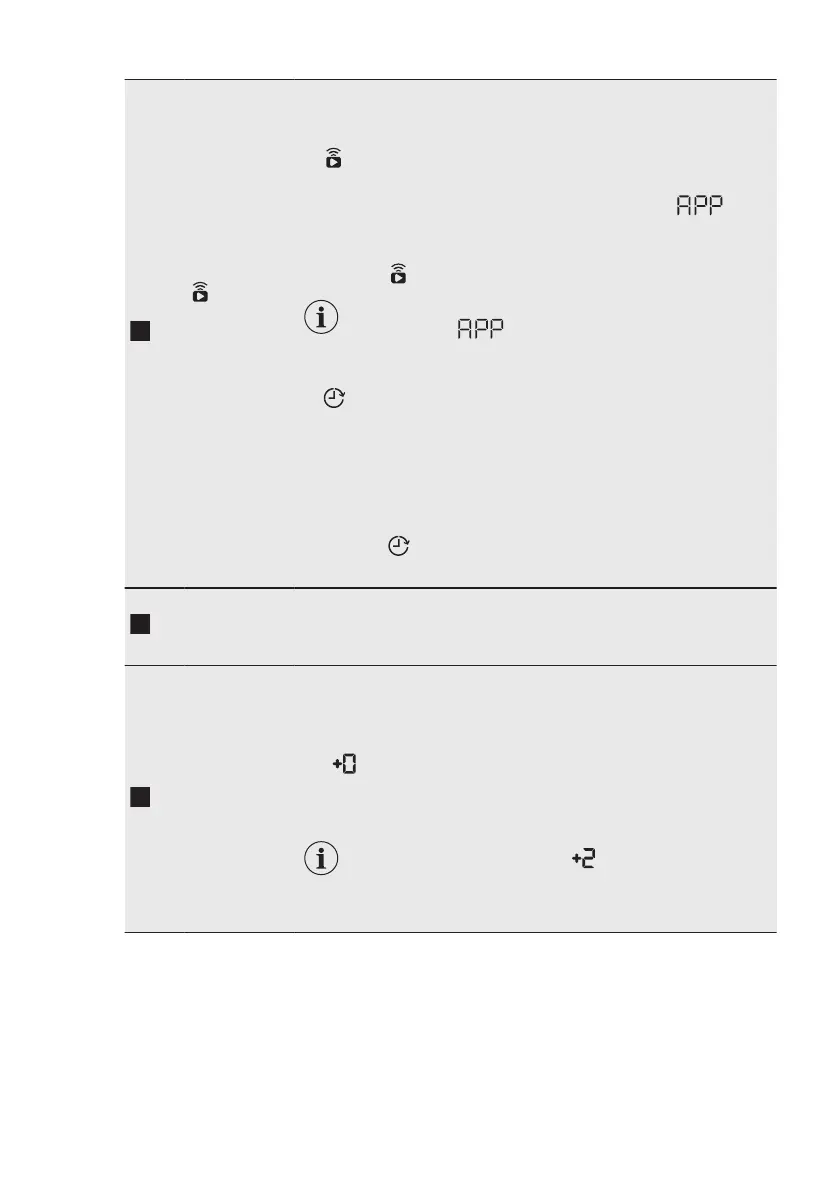
Remote
Start/Inicio
Diferido
touch button
Press this button repeatedly to activate one of the two options or
both.
The relevant indicator comes on in the display.
• Remote Start
Select this option to connect appliance with App.
Touch this button, the display shows the indicator blink‐
ing for a few seconds.
After touching the Inicio/Pausa button, the display shows the
indicator
and the Remote Start is confirmed.
When touching the Inicio/Pausa button after
the indicator stops blinking, the Remote
Start is not activated, but the set programme
starts.
• Inicio Diferido
With this option you can delay the start of a programme in a
more convenient time.
Touch the button repeatedly to set the required delay. The time
increases by steps of 30 minutes up to 90' and from 2 hours up
to 20 h.
After touching the Inicio/Pausa button, the display shows the
indicator and the selected delay time and the appliance be‐
gins the countdown.
Inicio/Pausa
touch button
Touch this button to start, pause the appliance or interrupt a run‐
ning programme.
Extra Aclar‐
ado/Enxag.
touch button
With this option you can add up to 3 rinses accordingly to the se‐
lected washing programmes.
Useful for people allergic to detergents and in areas where the
water is soft.
The
indicator shows the selected number of rinses.
This option increases the programme duration.
If the Extra Aclarado/Enxag. is set as a default
option and you select a compatible washing pro‐
gramme, the display shows . In this case, by
pressing the Extra Aclarado/Enxag. button , it is
possible to add just one rinse.
www.aeg.com20


 To Next Page