English
38
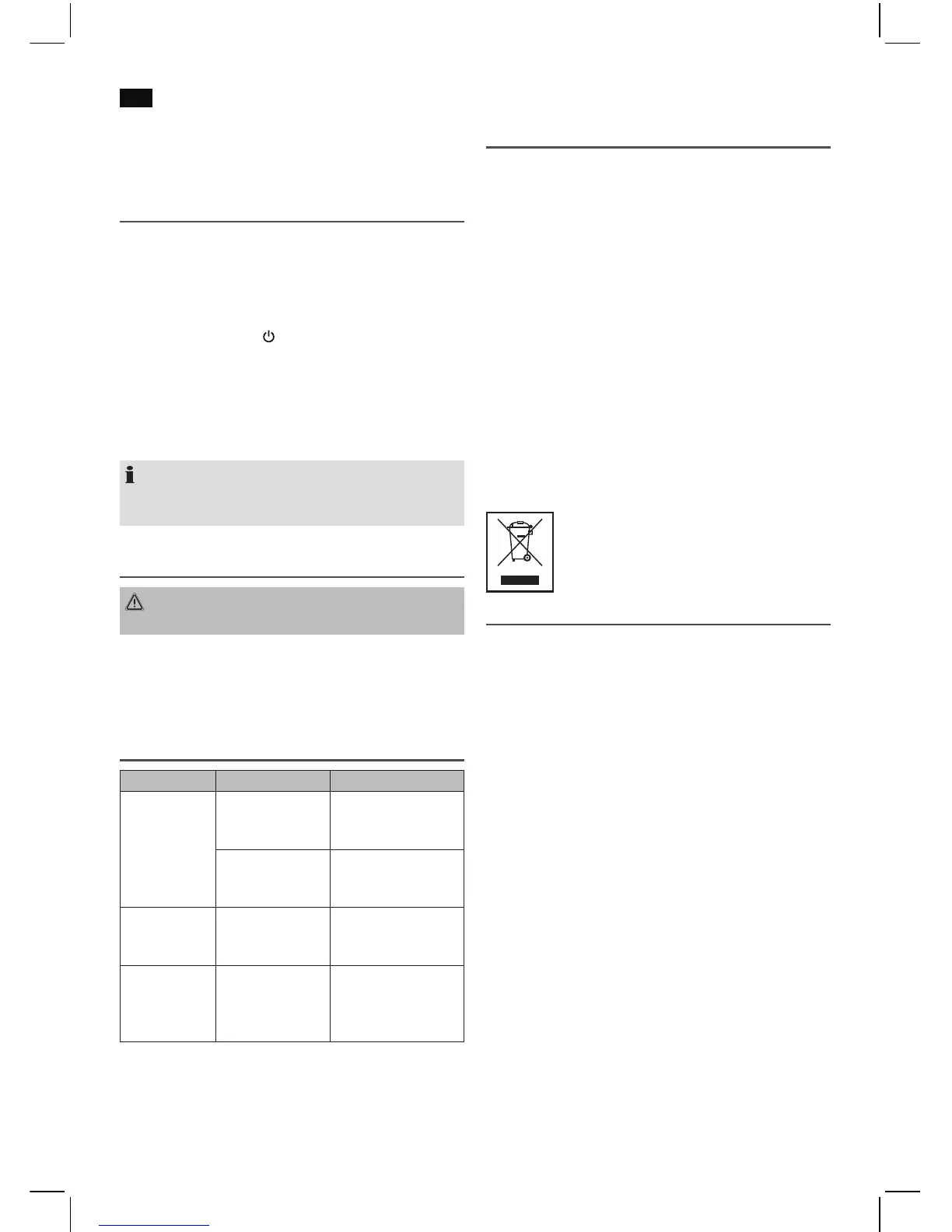
For these reasons it is possible that in rare cases there are
problems with the playback of CDs and MP3 CDs. This is not
a malfunction of the device.
AUX IN socket
To connect analogue replay devices. Via this socket you can
also hear the sound of other playback devices such as MP3
players, CD players etc. through the loudspeakers.
1. Please connect the external device with a 3.5 mm stereo
jack plug to the AUX-IN socket.
2. Repeatedly press the
/FUNC button (12), until “AUX” is
shown in the display.
3. You will hear the sound playback from the external device
through the loudspeakers. You may adjust the volume
with VOL-/VOL+ (11). The CD buttons are not functional.
4. For the remaining procedure please see the operating
instructions of the external sound source.
NOTE:
Adjust the volume of the external device to a comfortable
level.
Cleaning and Maintenance
WARNING:
Do not immerse the device in water.
• Always remove the mains plug before cleaning the
machine.
• Any marks on the surface can be wiped off with a slightly
damp cloth without any additives.
Troubleshooting
Symptoms Course Solution
CD can not be
played back.
CD is not inserted
or inserted incor-
rectly.
Ensure that the disc is
inserted with the label
facing upwards.
Batteries too weak. Insert new batteries
or operate the device
with the mains lead.
CD jumps dur-
ing playback.
Check the disc for
fingerprints, dirt or
scratches.
Check the disc for
fingerprints, dirt or
scratches.
Device cannot
be operated.
Device crashes and
“hangs”.
Disconnect the power
supply for 5 sec. Then
switch the device on
again.
Technical Data
Model: ............................................................................ SR 4358 CD
Power supply: .....................................................220-240 V~, 50 Hz
Battery operation: ..................................6 x 1.5 V, Type UM2/R 14
Power consumption:...................................................................9 W
Protection class: ................................................................................ II
Net weight: ................................................................ approx. 1.5 kg
Radio section:
Frequency ranges: ...............................FM 87.5 ~ 108.0 MHz
..................................AM 522 ~ 1620 KHz
The right to make technical and design modifications in
the course of continuous product development remains
reserved.
This device has been tested according to all relevant current
CE guidelines, such as electromagnetic compatibility and low
voltage directives, and has been constructed in accordance
with the latest safety regulations.
Disposal
Meaning of the “Dustbin” Symbol
Protect our environment: do not dispose of electrical equip-
ment in the domestic waste.
Please return any electrical equipment that you will no longer
use to the collection points provided for their disposal.
This helps avoid the potential effects of incorrect disposal on
the environment and human health.
This will contribute to the recycling and other forms of reutili-
sation of electrical and electronic equipment.
Information concerning where the equipment can be dis-
posed of can be obtained from your local authority.


 To Next Page
 Loading...