Intrinsically Safe Solutions by Design
11
IN HAZARDOUS LOCATIONS / TROUBLESHOOTING
Use this QR code
or
www.aegex.com/support
www.aegex.com/
troubleshooting
In Hazardous Locations
Your device is suitable for use in various hazardous environments depending on model
number and certication string.
All openings must be securely closed before use in a hazardous environment.
Do not connect or disconnect USB, charger, headset or docking station in a
haz ardous environment.
Ne pas brancher ou debrancher USB, chargeur, ecouteur ou une station d’accueil dans
un environnement dangereux.
DO NOT REMOVE OR REPLACE THE BATTERY PACK WHILE IN A KNOWN
HAZARDOUS LOCATION
AVERTISSEMENT - RISQUE D’EXPLOSION -AFIN D’EVITER TOUT RISQUE
D’EXPLOSION, S’ASSURER QUE L’EMPLACEMENT EST DESIGNE NON
DANEREUX AVANT DE CHANGER LA BATTER IE
BATTERIES MUST ONLY BE CHARGED IN AN AREA KNOWN TO BE
NON-HAZARDOUS
Les PILES DOIVENT seulement etre rechargees dans une region pas dangereuse.
Warning Statements
To prevent possible hearing damage, do not listen at high volume levels for long periods.
Pour eviter tout dommage possible a l’ou”ie, n’ecoutez pas aux niveaux de
volume eleve pen-dant de longues periodes.
Get support:
Troubleshooting
In case device freezes or in emergency mining situation you need to hard reset, press and hold
the power button for more than 10 seconds. Device will be turned o immediatelly.
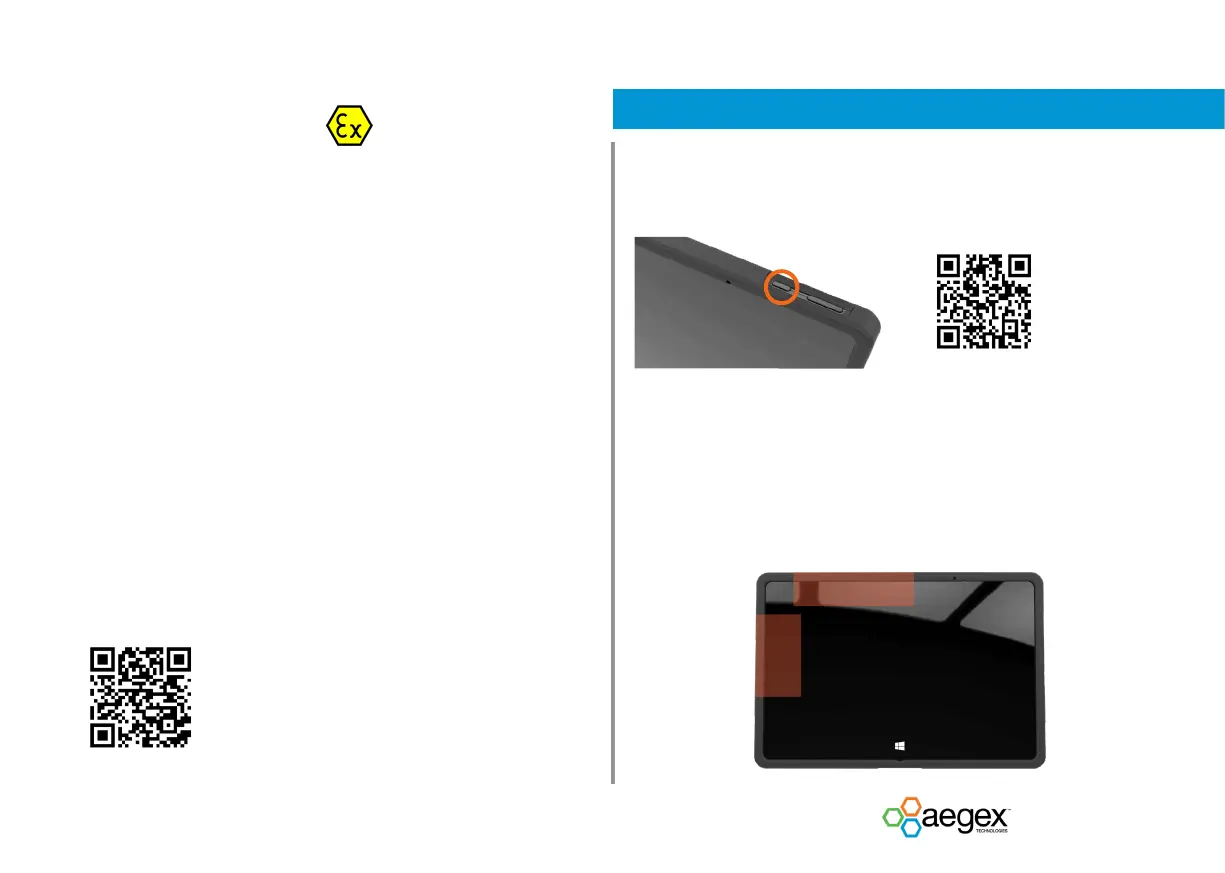
Antenna Positions
Your device meets guidelines for exposure to radio waves (SAR, Specic Absorption Rate)
when kept in a minimum dis tance of 2.5cm to your body.
It is recommended to learn the antenna positions (LTE devices only) as mentioned below
and not to touch or bring your body closer than 2.5 cm to these antenna areas.


 To Next Page
 Loading...