Intrinsically Safe Solutions by Design
10
2
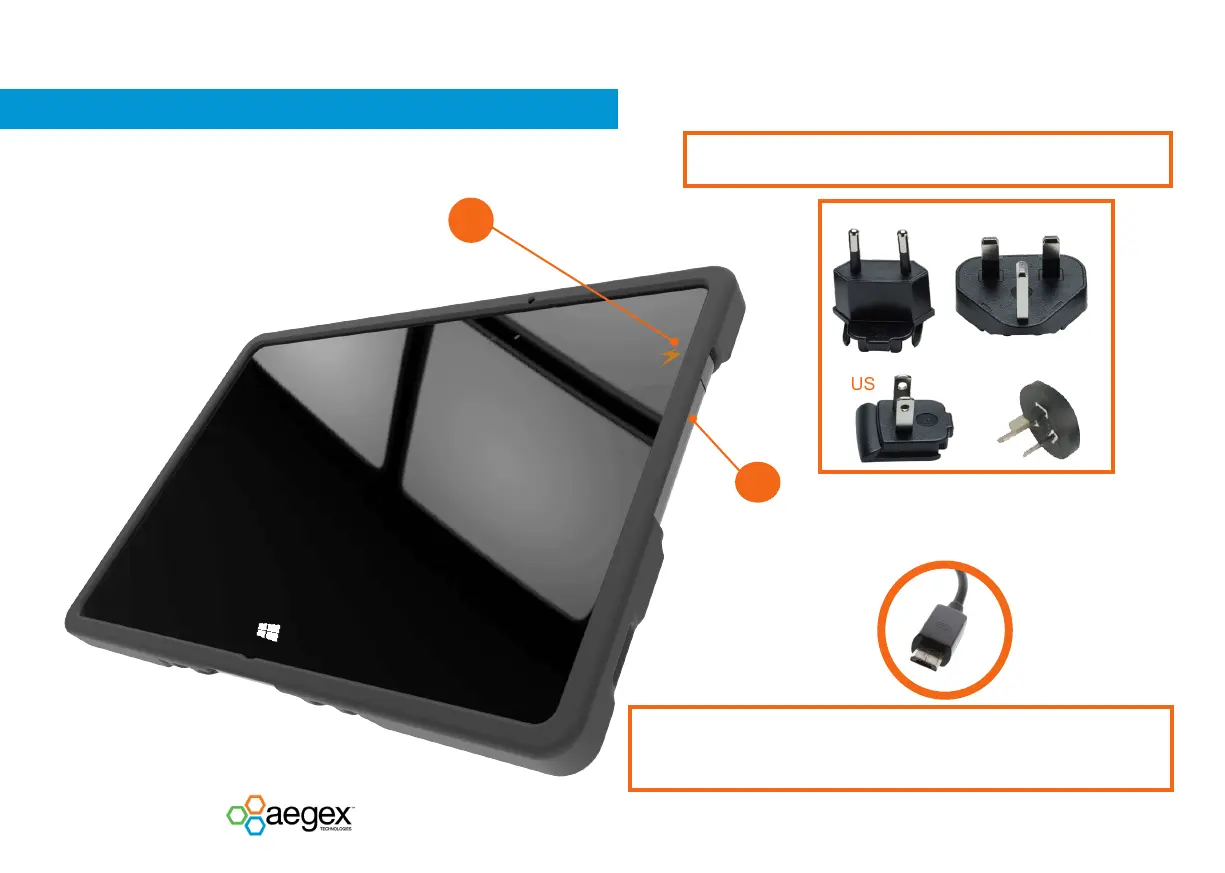
Open the cover on the right hand side of the tablet.
Connect the microUSB from the wall charger by pushing
the microUSB plug perpendicular to the port.
EU
UK
US
CHARGING THE TABLET WITH WALL CHARGER
AUS
1
The indicator on the tablet will illuminate orange while
the tablet is charging.
When the indicator illuminates green, you may remove
the tablet from its charging source - because the battery
is fully charged.
Select the appropriate plug and slide it on the tracks to connect to the wall charger.
Connect the USB end of the charging cord to the wall charger.
The tablet should be handled with care while the microUSB is plugged in.
Do not lift the tablet by the USB charging cord because it could cause irreparable
damage. Damage of the USB port is not covered by warranty. For frequent charging it
is recommended to use charging or docking station.


 To Next Page