Intrinsically Safe Solutions by Design
9
REPLACING BATTERY / ADDING SIM CARD
TO PUT THE BATTERY BACK IN PLACE:
3. Make sure the battery securely clicks in place
on both sides.
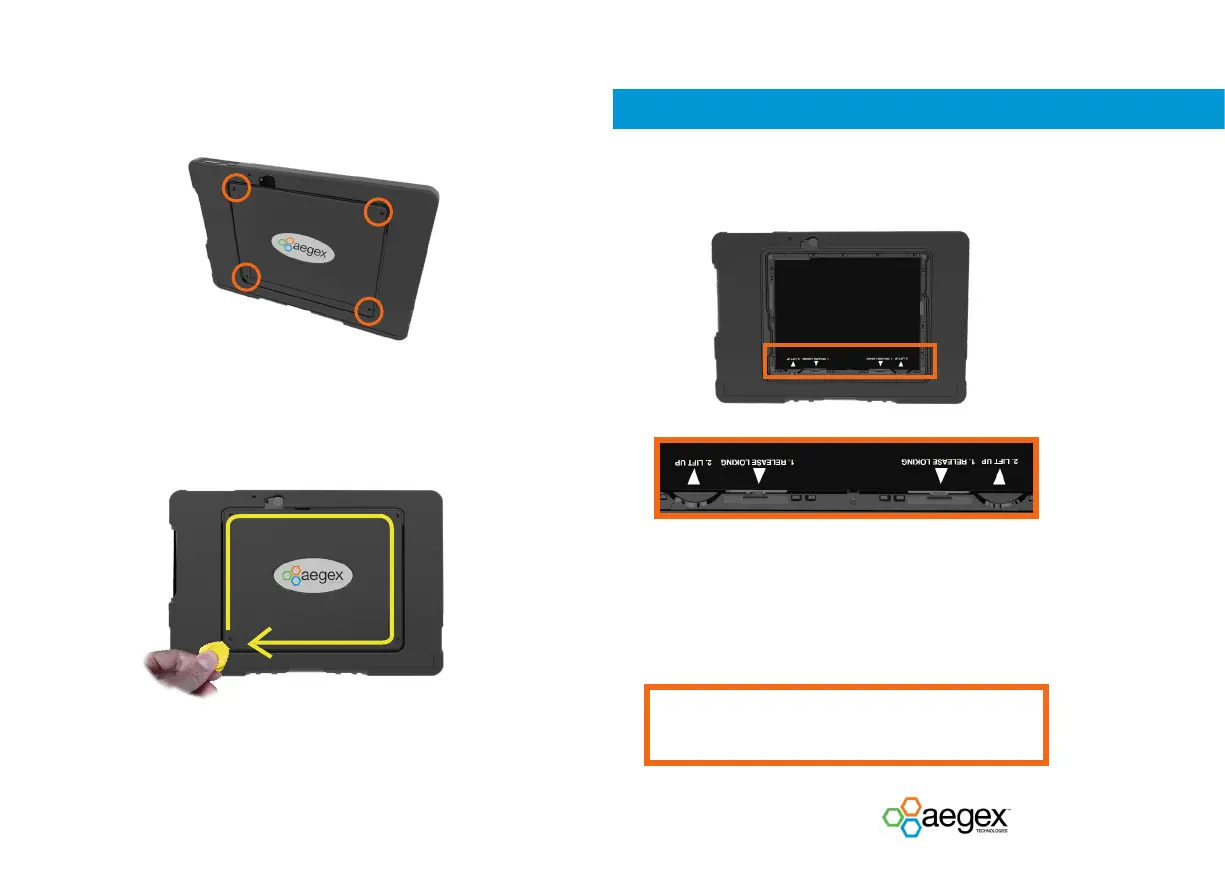
1. Replace the 4 corner screws of the battery cover
using the provided tool. The recommended torque
for the screw is 10-12 Ncm.
Do not remove or replace the battery pack while in a
known hazardous location!
2. To remove the battery door screws and the battery
door, please follow the instruction on page 7.


 To Next Page