Intrinsically Safe Solutions by Design
8
REPLACING BATTERY / ADDING SIM CARD
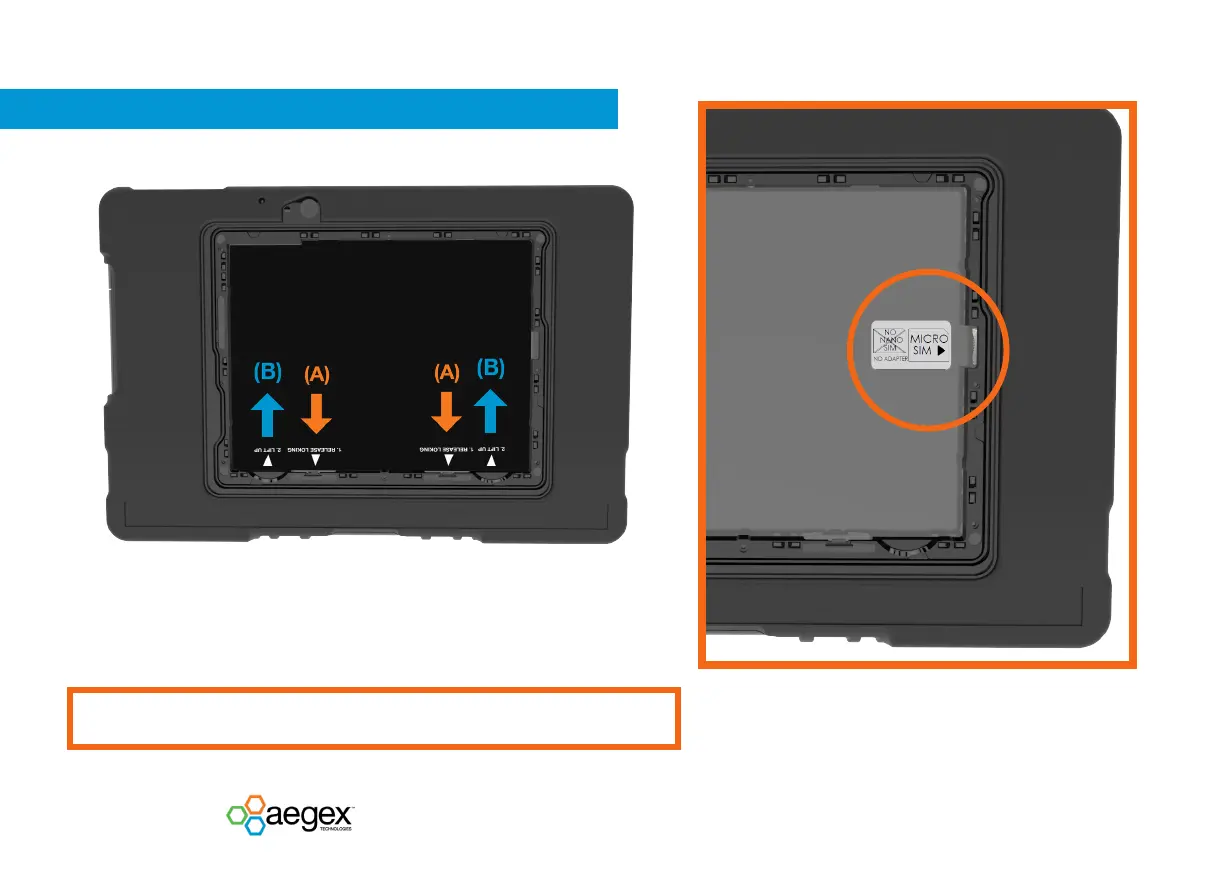
3. Release locking by pulling on the battery holder hook (A) towards the
bottom of the device, then pull the battery up (B).
Repeat process for other battery holder hook.
4. Enter the Micro SIM card into the slot in the center of the right side.
Make ensure the Micro SIM card in the correct direction (chip facing
down). Attention! Only Micro SIM card to be used.
Do not use Nano-to Micro SIM card adapters!
Do not remove or replace the battery pack while in a known hazardous location!


 To Next Page