Intrinsically Safe Solutions by Design
7
TO REMOVE THE BATTERY COVER:
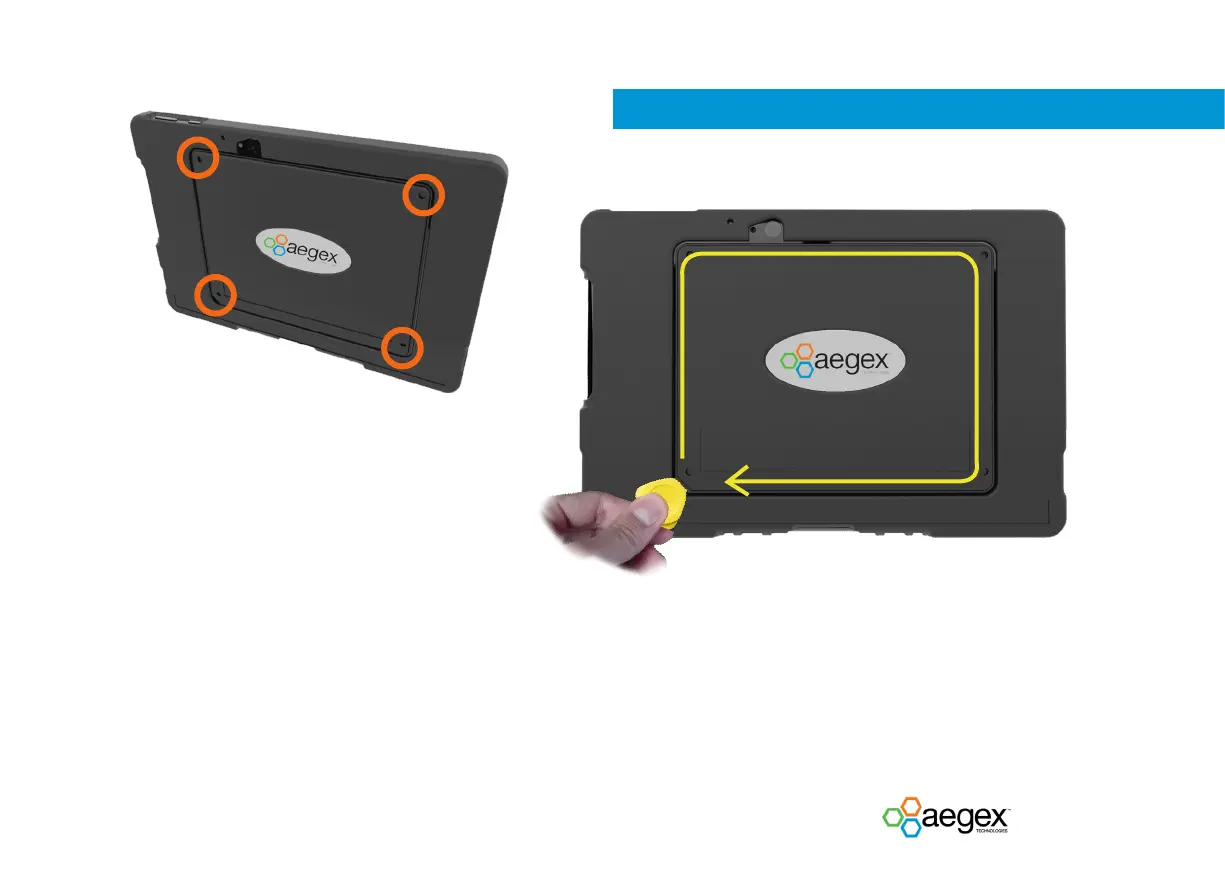
1. Remove the 4 screws using the provided screwdriver.
2. Use the provided pry tool to disengage the snaps. Insert the pry tool under the battery
door at the bottom left corner as presented in the picture above. Then with the pry
tool inserted under the door, carefully drag the pry tool around all edges and slowly
lift the cover.
Note: Any damage to the battery cover snaps due to improper handling is not covered by
warranty.


 To Next Page