EasyManua.ls Logo

AEM 30-5500 - User Manual

AEM 30-5500
14 pages
Print Icon
To Next Page IconTo Next Page
Loading...
AEM Performance Electronics
2205 126th Street Unit A, Hawthorne, CA 90250
Phone: (310) 484-2322 Fax: (310) 484-0152
http://www.aemelectronics.com
Instruction Part Number: 10-5500-QS
Document Build 2/8/2018
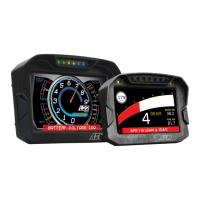
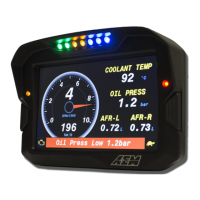
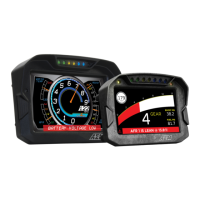
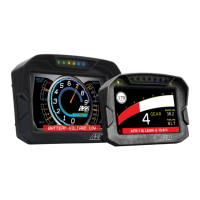
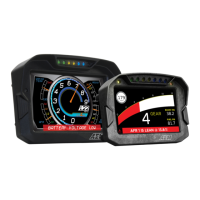
CAN DISPLAY DASH
& LOGGER SYSTEM
QUICK START GUIDE
Question and Answer IconNeed help?

Do you have a question about the AEM 30-5500 and is the answer not in the manual?

Summary

Introduction to AEM CD Dash

Software and USB Driver Installation

Hardware Installation and Wiring

Connecting to Non-AEMnet Devices

Connecting to AEMnet Devices (2-Wire)

Connecting to AEMnet Devices (4-Wire)

Dash Pinout and Optional Wiring Details

Communication Cables for CD Dash

Uploading Layout Files to Dash

Uploading Firmware to CD Dash

Dash Interface Overview

LED Indicator Functions

Details on Amber, Red, and Shift Light LED configurations and uses.

Dash Control Buttons

Explanation of Page Up and Reset button functions for navigation and control.

Track Mapping with VDM or GPS Modules

Configuring GPS Channels for Track Mapping

Lap Timing Setup and Configuration

Operating Lap Timing Features

AEM CAN Sensor Module Integration

Channel Calibration Procedures

Data Logging Configuration and Download

Drill Template for Mounting

Summary

Introduction to AEM CD Dash

Software and USB Driver Installation

Hardware Installation and Wiring

Connecting to Non-AEMnet Devices

Connecting to AEMnet Devices (2-Wire)

Connecting to AEMnet Devices (4-Wire)

Dash Pinout and Optional Wiring Details

Communication Cables for CD Dash

Uploading Layout Files to Dash

Uploading Firmware to CD Dash

Dash Interface Overview

LED Indicator Functions

Details on Amber, Red, and Shift Light LED configurations and uses.

Dash Control Buttons

Explanation of Page Up and Reset button functions for navigation and control.

Track Mapping with VDM or GPS Modules

Configuring GPS Channels for Track Mapping

Lap Timing Setup and Configuration

Operating Lap Timing Features

AEM CAN Sensor Module Integration

Channel Calibration Procedures

Data Logging Configuration and Download

Drill Template for Mounting

AEM 30-5500 Specifications

General IconGeneral
BrandAEM
Model30-5500
CategoryMonitor
LanguageEnglish

Related product manuals