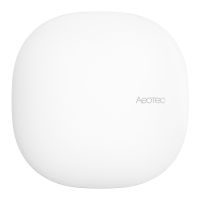
Blinks blue to indicate advanced secure pairing.
Pair in Basic Security Mode:
Put your existing gateway into pair mode
During pairing process, tap the Action button of the Smart Switch 6 once.
Blinks green to indicate basic secure pairing.
Testing Health Connectivity.
You can determine the health of your Smart Switch 6s direct connectivity to your gateway (no
routing nodes) using a manual button press, hold, and release function which is indicated by the
LED color.
1. Press and hold Smart Switch 6 Action button
2. Wait until the RGB LED turns into a Purple Color
3. Release Smart Switch 6 Action Button
The RGB LED will blink its Purple color while sending ping messages to your gateway, when it
has finished, it will blink 1 of 3 colors:
Red = Bad Health
Yellow = Moderate Health
Green = Great Health


 To Next Page