EasyManua.ls Logo

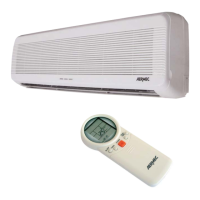
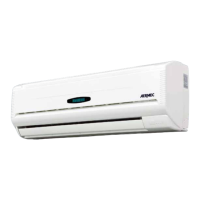
AERMEC FCW 222V - User Manual

AERMEC FCW 222V
23 pages
Print Icon
To Next Page IconTo Next Page
Loading...
FCW
FCW 222V
FCW 322V
FCW 422V
FCW 223V
FCW 323V
FCW 423V
FCW 22VL
FCW 32VL
FCW 42VL
FCW 222VN
FCW 322VN
FCW 422VN
FCW 223VN
FCW 323VN
FCW 423VN
FCW 22VLN
FCW 32VLN
FCW 42VLN
IFCW3LJ 1508 - 5138800_00
IT GB FR DE ES
pag.5 pag.26 pag.47 pag.68 pag.89
VENTILCONVETTORE PER INSTALLAZIONE A PARETE
t>>ͳDKhEd&EK/>hE/d
sEd/>KͳKEsdhZWKhZ/E^d>>d/KEDhZ>
GEBLÄSEKONVEKTOR FÜR WANDINSTALLATION
ENTILOCONVECTOR PARA INSTALACIÓN DE PARED
DEh>h^K/E^d>>/KE
/E^d>>d/KEEh^ZDEh>
DEh>hd/>/^d/KEd/E^d>>d/KE
/EhE'^ͲhE/E^d>>d/KE^E>/dhE'
DEh>h^K/E^d>/ME
DEh> h^K /E^d>>/KE
Question and Answer IconNeed help?

Do you have a question about the AERMEC FCW 222V and is the answer not in the manual?

Summary

Wall-Mounted Fan Coil Unit Overview

Unit Observations and Handling

Safety Warnings

Essential safety symbols and warnings for correct operation and accident prevention.

Unit Receipt and Inspection

Procedures for checking the unit upon delivery for damage or discrepancies.

Packaging and Disposal Information

Details on product packaging and environmentally sound disposal of electronic equipment.

Maintenance Procedures

Ordinary Maintenance

User-level cleaning and inspection tasks to ensure efficient unit operation.

Special Maintenance

Tasks requiring qualified technicians for optimal unit efficiency and safety checks.

Troubleshooting Common Issues

FCW Fan Coil Unit Features

Unit Configuration Options

Selecting model variants based on system requirements like valve type and controller.

Available Versions

Overview of different FCW unit versions based on valve and control system integration.

Key Unit Characteristics

Highlights main features like EUROVENT certification, quiet operation, and design.

Fan Coil Unit Components

Front Panel, Receiver, and Display

Description of the front panel, IR receiver, and display functions.

Air Filter and Heat Exchanger

Details on the washable air filter and the heat exchanger coil construction.

Air Discharge Blades

Information on horizontal and vertical air discharge blade adjustment.

Auxiliary Switch and Fan Assembly

Functionality of the emergency switch and the tangential fan assembly.

Water Valve Versions

Explanation of 2-way and 3-way water valve configurations.

Remote and Wired Control Options

Description of TLW2 remote and PFW2 wired control panel accessories.

General Unit Information

Versions Without Microprocessor Controller

Requirements for units without integrated microprocessor control.

VMF System Integration

Details on integrating the fan coil unit with the Aermec VMF hydronic system.

Operational Limits and Flow Rates

Flow Rate Specifications

Minimum and maximum water flow rates for different FCW models.

Minimum Average Water Temperature

Recommended minimum water temperatures to prevent condensation.

Operating Environment and Water Quality

Air Pollutant Limits

Maximum allowable concentrations of air pollutants for safe operation.

Water Quality Warnings

Recommendations for water quality to prevent corrosion and fouling in the coils.

Airflow Direction Control

Adjusting Vertical Airflow Blades

Manual adjustment of vertical blades for optimal air distribution.

Motorised Horizontal Airflow Blades

Guidelines for adjusting motorized horizontal blades, emphasizing manual avoidance.

Microprocessor Controller: Front Panel Display

Temperature and Error Code Display

Interpretation of the front panel display for temperature and error codes.

Fan Speed and Operating Modes

Understanding fan speed settings and operating mode indicators on the display.

Timer Indicator

Recognition of the timer function icon on the display.

Auxiliary Emergency Switch Operation

Emergency Switch Functionality

Using the auxiliary switch to operate the unit when controls are unavailable.

Emergency Switch Operation Modes

Sequence of presses for cooling, heating, and turning off the unit via the switch.

Water Temperature Display via AUX

How to view water temperature using the emergency auxiliary switch.

TLW2 Infrared Remote Control Guide

Remote Control Buttons Overview

Detailed explanation of each button on the TLW2 remote control.

Remote Control LCD Display

Understanding the information displayed on the remote control's LCD screen.

Signal Transmission

Proper aiming and usage of the remote transmitter for signal reception.

Remote Control Liquid Crystal Display

Understanding Display Icons

Explanation of icons and indicators on the remote control's LCD.

Using the Remote Control

Guidelines for operating the fan coil unit using the remote control.

Remote Control Preparation

Instructions for battery installation and care of the remote control.

PFW2 Wired Control Panel Guide

Wired Control Panel Buttons

Detailed explanation of the functions of each button on the PFW2 panel.

Wired Control Panel Display

Understanding the LCD display and LED indicators on the wired panel.

Wired Panel Functions

Overview of functions like Timer, Swing, Sleep, and Key Lock.

Fan Coil Unit Programme Modes

Automatic (AUTO) Programme Operation

Steps for activating and configuring the automatic mode.

Heating (HEAT) Programme

Steps for setting and operating the heating mode of the unit.

Automatic Programme Outcome

Cooling (COOL) Programme Operation

Setting Cooling Mode

Instructions for activating and configuring the cooling mode.

Fan Programme (FAN)

How to use the fan-only mode for air circulation.

Ventilation Mode Operation

Dehumidification (DRY) Programme

Setting Dehumidification Mode

Steps to activate and configure the dehumidification mode.

Night Comfort (SLEEP) Function

How to activate the SLEEP function for energy-saving night comfort.

Sleep Programme Outcome

Timer Programming: Unit Turn-On

Setting the Turn-On Timer

Steps to set the timer for automatic unit activation.

Cancelling Timer Settings

Procedures for cancelling programmed timer settings.

Timer Programming: Unit Turn-Off

Setting the Turn-Off Timer

Steps to set the timer for automatic unit deactivation.

Cancelling Timer Settings

Procedures for cancelling programmed timer settings.

Unit Dimensions and Installation Guide

FCW Model Dimensions

Table and diagram showing physical dimensions for different FCW models.

Installation Safety Warnings

Critical safety precautions to follow before and during unit installation.

Detailed Installation Steps

Unit Placement and Mounting Template

Procedures for positioning the unit using templates and ensuring it's level.

Hydraulic and Drain Connections

Connecting water supply, return, and condensate drain lines correctly.

Electrical Connection Requirements

Guidelines for making electrical connections as per wiring diagrams and local codes.

Final Installation Checks

Completing the installation, closing holes, venting, and performing a functional test.

Electrical Wiring Requirements

Power Supply and Protection

Specifications for power supply, circuit breakers, and independent circuits.

Cable Types and Installation

Recommended cable types and insulation for safe electrical wiring.

Wiring Compliance and Diagrams

Ensuring wiring complies with standards and following provided diagrams.

Earthing Warning

Critical warning regarding proper earthing to prevent electric shock or fire.

PFW2 Wired Control Panel Installation

Panel Mounting and Wiring

Steps for physically mounting the panel and connecting it to the fan coil unit.

Panel Functionality and Placement

Understanding the panel's capabilities and optimal installation locations.

Summary

Wall-Mounted Fan Coil Unit Overview

Unit Observations and Handling

Safety Warnings

Essential safety symbols and warnings for correct operation and accident prevention.

Unit Receipt and Inspection

Procedures for checking the unit upon delivery for damage or discrepancies.

Packaging and Disposal Information

Details on product packaging and environmentally sound disposal of electronic equipment.

Maintenance Procedures

Ordinary Maintenance

User-level cleaning and inspection tasks to ensure efficient unit operation.

Special Maintenance

Tasks requiring qualified technicians for optimal unit efficiency and safety checks.

Troubleshooting Common Issues

FCW Fan Coil Unit Features

Unit Configuration Options

Selecting model variants based on system requirements like valve type and controller.

Available Versions

Overview of different FCW unit versions based on valve and control system integration.

Key Unit Characteristics

Highlights main features like EUROVENT certification, quiet operation, and design.

Fan Coil Unit Components

Front Panel, Receiver, and Display

Description of the front panel, IR receiver, and display functions.

Air Filter and Heat Exchanger

Details on the washable air filter and the heat exchanger coil construction.

Air Discharge Blades

Information on horizontal and vertical air discharge blade adjustment.

Auxiliary Switch and Fan Assembly

Functionality of the emergency switch and the tangential fan assembly.

Water Valve Versions

Explanation of 2-way and 3-way water valve configurations.

Remote and Wired Control Options

Description of TLW2 remote and PFW2 wired control panel accessories.

General Unit Information

Versions Without Microprocessor Controller

Requirements for units without integrated microprocessor control.

VMF System Integration

Details on integrating the fan coil unit with the Aermec VMF hydronic system.

Operational Limits and Flow Rates

Flow Rate Specifications

Minimum and maximum water flow rates for different FCW models.

Minimum Average Water Temperature

Recommended minimum water temperatures to prevent condensation.

Operating Environment and Water Quality

Air Pollutant Limits

Maximum allowable concentrations of air pollutants for safe operation.

Water Quality Warnings

Recommendations for water quality to prevent corrosion and fouling in the coils.

Airflow Direction Control

Adjusting Vertical Airflow Blades

Manual adjustment of vertical blades for optimal air distribution.

Motorised Horizontal Airflow Blades

Guidelines for adjusting motorized horizontal blades, emphasizing manual avoidance.

Microprocessor Controller: Front Panel Display

Temperature and Error Code Display

Interpretation of the front panel display for temperature and error codes.

Fan Speed and Operating Modes

Understanding fan speed settings and operating mode indicators on the display.

Timer Indicator

Recognition of the timer function icon on the display.

Auxiliary Emergency Switch Operation

Emergency Switch Functionality

Using the auxiliary switch to operate the unit when controls are unavailable.

Emergency Switch Operation Modes

Sequence of presses for cooling, heating, and turning off the unit via the switch.

Water Temperature Display via AUX

How to view water temperature using the emergency auxiliary switch.

TLW2 Infrared Remote Control Guide

Remote Control Buttons Overview

Detailed explanation of each button on the TLW2 remote control.

Remote Control LCD Display

Understanding the information displayed on the remote control's LCD screen.

Signal Transmission

Proper aiming and usage of the remote transmitter for signal reception.

Remote Control Liquid Crystal Display

Understanding Display Icons

Explanation of icons and indicators on the remote control's LCD.

Using the Remote Control

Guidelines for operating the fan coil unit using the remote control.

Remote Control Preparation

Instructions for battery installation and care of the remote control.

PFW2 Wired Control Panel Guide

Wired Control Panel Buttons

Detailed explanation of the functions of each button on the PFW2 panel.

Wired Control Panel Display

Understanding the LCD display and LED indicators on the wired panel.

Wired Panel Functions

Overview of functions like Timer, Swing, Sleep, and Key Lock.

Fan Coil Unit Programme Modes

Automatic (AUTO) Programme Operation

Steps for activating and configuring the automatic mode.

Heating (HEAT) Programme

Steps for setting and operating the heating mode of the unit.

Automatic Programme Outcome

Cooling (COOL) Programme Operation

Setting Cooling Mode

Instructions for activating and configuring the cooling mode.

Fan Programme (FAN)

How to use the fan-only mode for air circulation.

Ventilation Mode Operation

Dehumidification (DRY) Programme

Setting Dehumidification Mode

Steps to activate and configure the dehumidification mode.

Night Comfort (SLEEP) Function

How to activate the SLEEP function for energy-saving night comfort.

Sleep Programme Outcome

Timer Programming: Unit Turn-On

Setting the Turn-On Timer

Steps to set the timer for automatic unit activation.

Cancelling Timer Settings

Procedures for cancelling programmed timer settings.

Timer Programming: Unit Turn-Off

Setting the Turn-Off Timer

Steps to set the timer for automatic unit deactivation.

Cancelling Timer Settings

Procedures for cancelling programmed timer settings.

Unit Dimensions and Installation Guide

FCW Model Dimensions

Table and diagram showing physical dimensions for different FCW models.

Installation Safety Warnings

Critical safety precautions to follow before and during unit installation.

Detailed Installation Steps

Unit Placement and Mounting Template

Procedures for positioning the unit using templates and ensuring it's level.

Hydraulic and Drain Connections

Connecting water supply, return, and condensate drain lines correctly.

Electrical Connection Requirements

Guidelines for making electrical connections as per wiring diagrams and local codes.

Final Installation Checks

Completing the installation, closing holes, venting, and performing a functional test.

Electrical Wiring Requirements

Power Supply and Protection

Specifications for power supply, circuit breakers, and independent circuits.

Cable Types and Installation

Recommended cable types and insulation for safe electrical wiring.

Wiring Compliance and Diagrams

Ensuring wiring complies with standards and following provided diagrams.

Earthing Warning

Critical warning regarding proper earthing to prevent electric shock or fire.

PFW2 Wired Control Panel Installation

Panel Mounting and Wiring

Steps for physically mounting the panel and connecting it to the fan coil unit.

Panel Functionality and Placement

Understanding the panel's capabilities and optimal installation locations.

AERMEC FCW 222V Specifications

General IconGeneral
BrandAERMEC
ModelFCW 222V
CategoryAir Conditioner
LanguageEnglish

Related product manuals