14
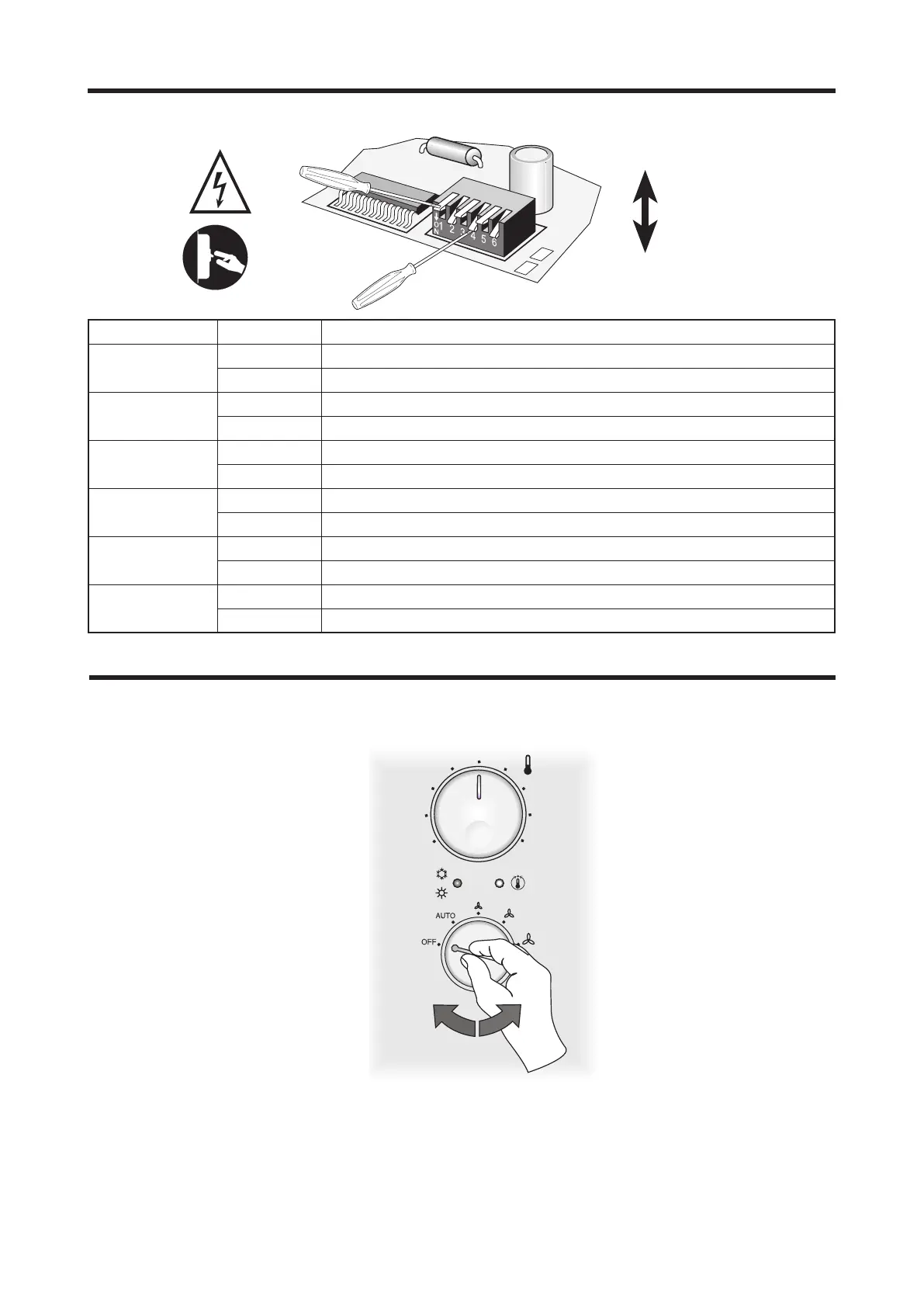
This function is designed to check the opera-
tion of the fan, valves and heaters.
To run the Autotest function, proceed as fol-
1) Selector switch B in central position.
2) Selector switch A in OFF position.
3) Adjust the selector switch A rapidly to obtain
the following sequence:
AUTO → OFF → V1 → OFF → V2 → OFF →
V3 → OFF.
At this stage the unit sets to AUTOTEST mode
-
tion, the valve is activated. Yellow LED
(D) runs 1-flash cycles.
position, minimum speed V1 is activa-
ted. Yellow LED (D) runs 2-flash cycles.
position, the medium speed V2 is activa-
ted. Yellow LED (D) runs 3-flash cycles.
position, the maximum speed V3 is acti-
vated. Yellow LED (D) runs 4-flash cycles.
The Autotest function automatically
stops after one minute.
B
A
Dip_Board Meaning
Dip1
On
Dip2
On
Dip3
On
Dip4
On
Dip5
On Dead zone 2°C
Dead zone 5°C
Dip6
On
AUTOTEST FUNCTION

 To Next Page
 Loading...