- 5 -
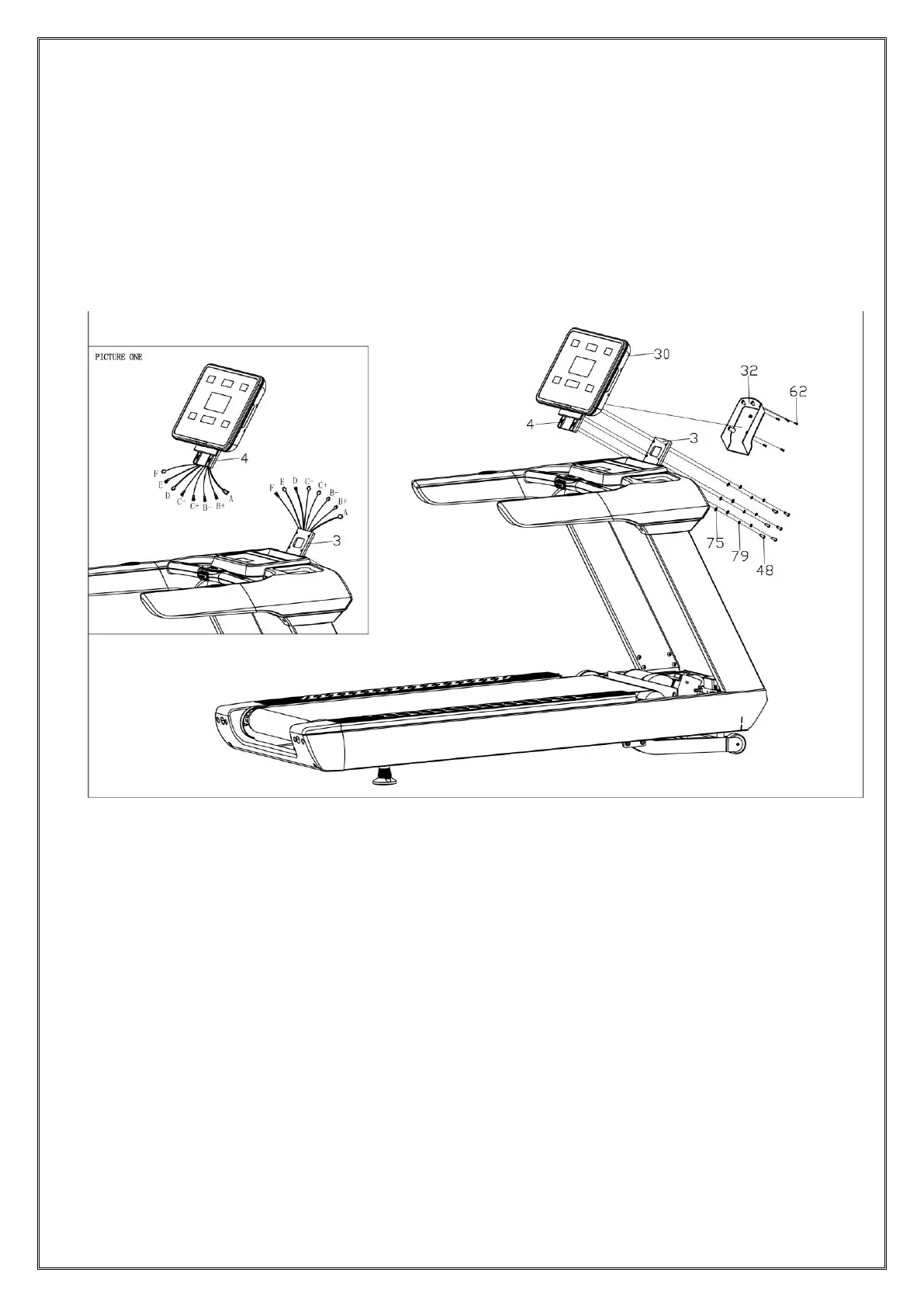
STEP 4:
1. As picture 1 shown, connect the wires of panel bracket (4) and computer frame (3) (Lines of the same
number are joined together);
2.lock the panel bracket(4)on the computer frame(3)with inner hexagonal head bolts(48)、standard
spring washer(79)and standard plain washer(75);
3.attach the computer panel connecting cover(32)to the computer panel lower cover(30)by using cross
recessed pan head self tapping screw(62).


 To Next Page