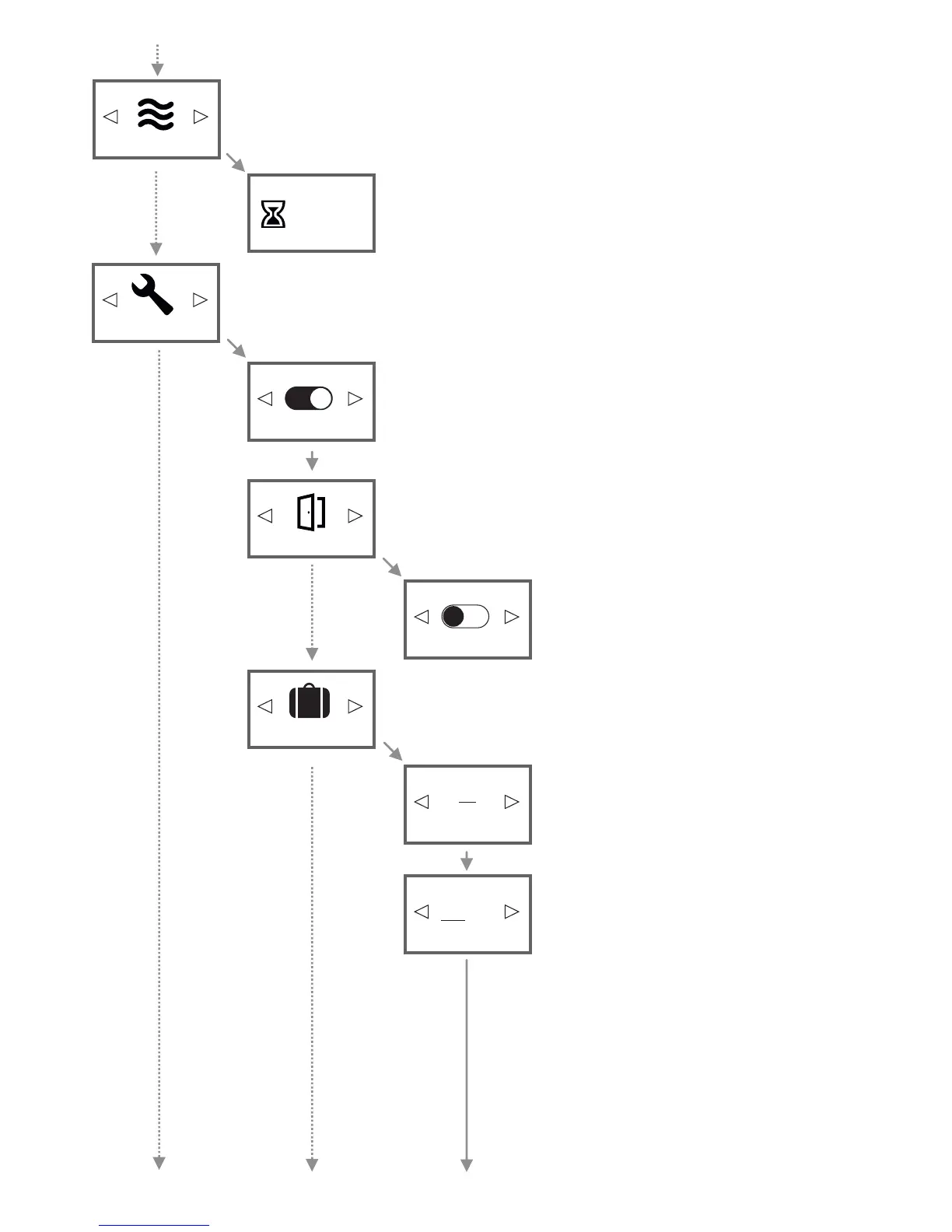
Use the arrow buttons to switch the programming mode on or off. Confirm
with OK.
When „Programs OFF“, the menu item "Programs" is not visible. Then you can
lower and raise the temperature manually by using the arrow buttons in the
"Status Display" menu instead of (see page 11).
The is able to automatically switch off if an open window will AeroFlow® heater
be detected. In this menu you can switch this function on or off.
Open the configuration menu.
The AeroFlow® heater can be swichted into holiday mode.
In holiday mode, the program (if active) is disabled for the duration of the
absence. If the heater is in manual mode , the preset manual temperature is
disabled for the duration of the absence.
Enable or disable the open window detection.
Use the arrow buttons to enter the number of days you
are leaving.
Use the arrow buttons to set the hour of the desired
time of return. Confirm with OK.
After this, set the minute of the return time and
confirm with OK as well.
Programs ON
Detection OFF
OFF
Days out:
Return time:
Holidays
Open window detection
Configuration
09:00
Boost
Boost
The default setting is 30:00 minutes and it will immediately. You do count down
not need to press any further button. Use the arrow buttons to set how many
minutes (selectable in 5-minute steps) the heat AeroFlow® heater will
permanently for the preset time. Press OK to cancel the boost function.
30:00
Use the boost function if you want to increase the room temperature quickly. Press OK to activate the boost
function. During boost, the open window detection is deactivated.
12:34
14


 To Next Page
 Loading...