Need help?
Do you have a question about the Aerohive Networks Aerohive APs and is the answer not in the manual?
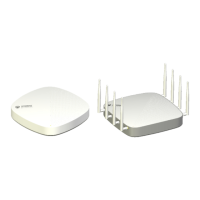
Provides an overview of the AP330 and AP350 hardware components, features, and capabilities.
Details the RJ-45 Ethernet and console ports, including pin assignments and PoE support.
Explains the meaning of the status indicator colors and patterns for operational states.
Describes the internal and external antennas for AP330 and AP350, including gain and placement.
Covers methods for mounting the AP330 or AP350, including ceiling and surface mounting.
Lists physical dimensions, weight, power requirements, and environmental operating ranges.
Introduces the AP340 access point, its features, and hardware components.
Details the RJ-45 Ethernet and console ports, including PoE and port configuration.
Explains the meaning of the AP340 status LEDs, their colors, and illumination patterns.
Describes the AP340's external antennas, their gain, and how they connect to radios.
Provides guidance on configuring antennas for optimal coverage and performance.
Explains MIMO technology and its application with AP340 for improved data transmission.
Explains options for mounting the AP340, including ceiling, plenum, and pole mounts.
Step-by-step instructions for mounting the AP340 using a ceiling track.
Instructions for mounting the AP340 in a plenum space above a dropped ceiling grid.
Guide on suspending the AP340 from beams, posts, or struts using wire rope.
Instructions for mounting the AP340 directly onto a flat surface like a wall or post.
Lists physical dimensions, weight, power requirements, and environmental operating ranges for AP340.
Introduces the AP320 access point, its features, and hardware components.
Details the RJ-45 Ethernet and console ports, including PoE and port configuration.
Explains the meaning of the AP320 status LEDs, their colors, and illumination patterns.
Describes the AP320's internal antennas, their gain, and how they connect to radios.
Details various mounting methods for the AP320, including ceiling and surface mounting.
Step-by-step instructions for mounting the AP320 using a ceiling track.
Instructions for mounting the AP320 directly onto a flat surface like a wall or post.
Lists physical dimensions, weight, power requirements, and environmental operating ranges for AP320.
Introduces the AP170 access point, its features, and hardware components.
Details the single 10/100/1000 Ethernet port, including PoE and waterproof housing.
Describes the AP170's four external antennas, their gain, and connection details.
Guides through the installation process, including kit contents and safety.
Step-by-step instructions for mounting the AP170 on a vertical pole.
Instructions for mounting the AP170 on a horizontal pole, ensuring correct orientation.
Guide for mounting the AP170 directly onto a flat surface using a plane bracket.
Instructions for connecting the four external antennas to the AP170.
Details how to ensure a weatherproof seal for the Ethernet cable connection.
Covers PoE connections and essential Ethernet protection against lightning strikes.
Explains how to access and use the internal reset switch on the AP170.
Lists physical dimensions, weight, power requirements, and environmental operating ranges for AP170.
Introduces the AP110 and AP120 access points, their features, and hardware components.
Details the single 10/100/1000 Ethernet port, including PoE support.
Explains the meaning of the AP110/AP120 status indicator colors and patterns.
Describes the internal antennas for AP110 and AP120, their gain, and radio links.
Covers methods for mounting AP100 series devices, including ceiling and surface mounting.
Step-by-step instructions for mounting the AP100 series device using a ceiling track.
Instructions for mounting the AP100 series device directly onto a flat surface.
Lists physical dimensions, weight, power requirements, and environmental operating ranges for AP100 series.
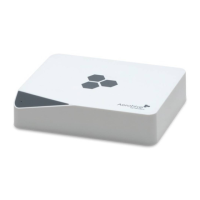
Introduces the BR100 router, its capabilities, and hardware components.
Describes the BR100's single 2.4 GHz radio and embedded antennas.
Explains the meaning of the BR100 device and link status LEDs.
Guides through setting up the BR100 router on a desktop or mounting it on a wall.
Lists physical dimensions, weight, power requirements, and environmental operating ranges for BR100.
Introduces HiveManager as a central management system for HiveAPs.
Details the MGT and LAN Ethernet ports and the console port for HiveManager.
Explains the meaning of the two status LEDs on the HiveManager front panel.
Provides instructions for mounting the HiveManager in a standard 19-inch equipment rack.
Lists physical dimensions, weight, power requirements, and environmental operating ranges for HiveManager.
Introduces the High Capacity HiveManager and its benefits for managing HiveAPs.
Guides through mounting the High Capacity HiveManager in a standard 19-inch equipment rack.
Step-by-step instructions for replacing the hot-swappable power supplies.
Guide on how to safely replace hard disk drives in the High Capacity HiveManager.
Lists physical dimensions, weight, power requirements, and environmental operating ranges for High Capacity HiveManager.
 General
| Wi-Fi standards | 802.11a/b/g/n/ac |
|---|---|
| Operating frequency | 2.4 GHz, 5 GHz |
| Ports | Gigabit Ethernet |
| Power | PoE (Power over Ethernet) |
| Security | WPA, WPA2, 802.1X |
| Management | HiveManager |
| Model | AP130, AP230, AP330, AP250, AP350 |
| Mounting | Ceiling, Wall |
| Dimensions | Varies by model |
| Weight | Varies by model |

 To Next Page