SETUP MENU
Display
•
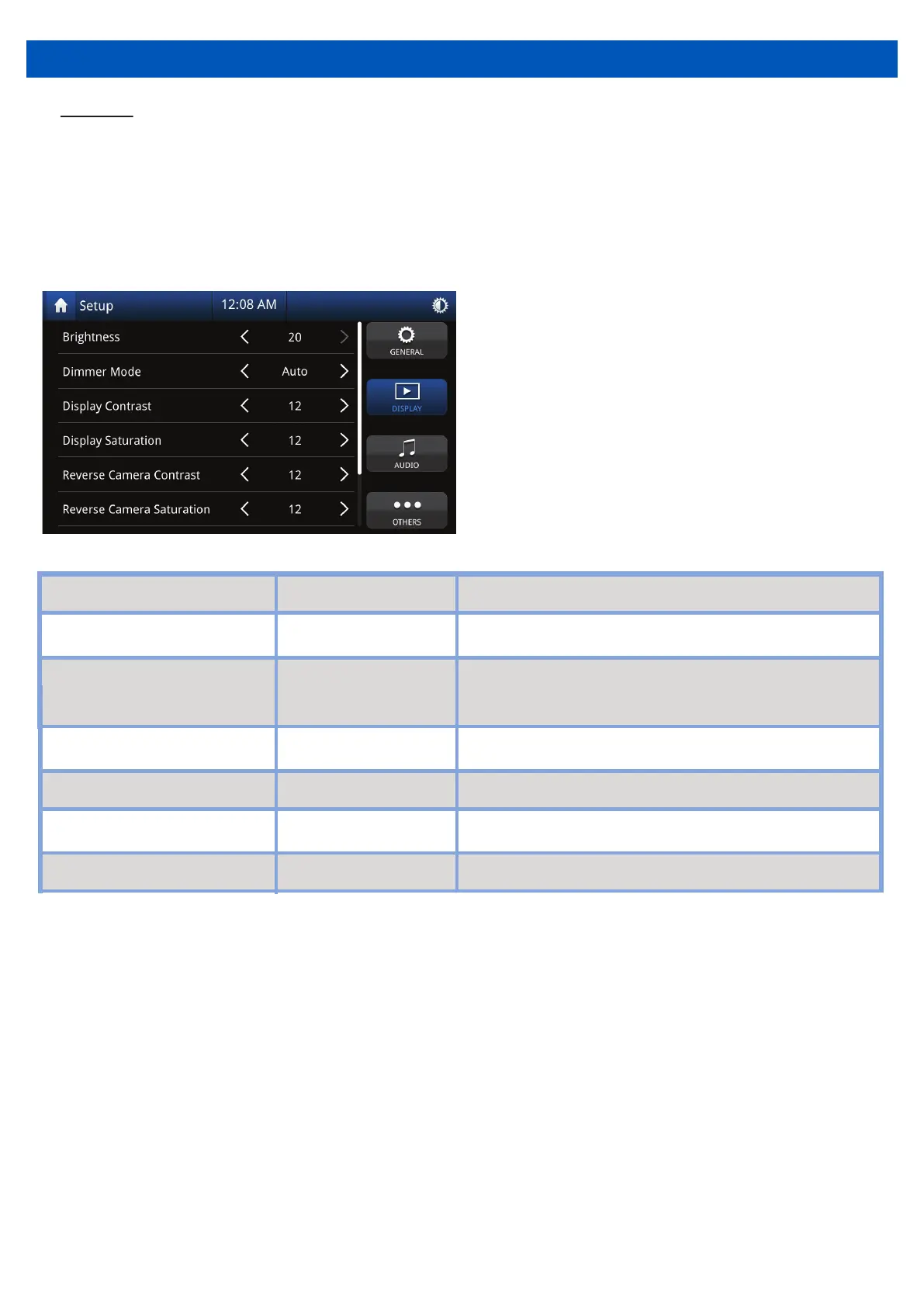
Touch “Display” on the Setup Menu display, then select a feature you want to adjust.
11
* Requires an illumination wire to be present in the vehicle (Usually orange wire in ISO
harness needs to have a connection)
Touch the desired screen brightness
Touch the desired screen preset
(Auto changes brightness when headlights on*)
Touch to adjust
desired camera contrast
Software version of the radio.
Display Contrast
0 to 24
0 to 24
0 to 24
0 to 24
Touch to adjust
desired screen contrast
Touch to adjust
desired camera saturation
Display Saturation Touch to adjust
desired screen saturation
Reverse Camera Saturation
Reverse Camera Contrast


 To Next Page