
 Need help?
Do you have a question about the Aerus Pure & Clean Plus A1041A and is the answer not in the manual?
Provides a brief introduction to the Aerus Pure & Clean+ and congratulates the user on their purchase.
Details the model number, sales number, technology, electrical specifications, mechanical features, and dimensions of the unit.
Lists the weight and physical dimensions of the Aerus Pure & Clean+ unit.
Specifies recommended coverage area and the limited warranty duration for the air purification system.
Provides instructions on how to properly store and dispose of the product as electrical waste.
Provides crucial safety guidelines and warnings for operating the Aerus Pure & Clean+ unit to prevent injury and damage.
Highlights precautions regarding UV radiation emitted from the device and potential eye/skin irritation.
Advises on first aid for injury and refers to the manual for detailed usage, handling, and disposal procedures.
Lists contact information for Aerus Canada, Inc. for product-related inquiries.
Step-by-step guide on unpacking, inspecting for damage, determining placement, and connecting the unit.
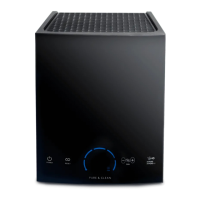
Highlights the main technological and physical components that define the Aerus Pure & Clean+ unit.
Guides users through the steps of unpacking, placing, powering on, and setting the Aerus Pure & Clean+ unit for initial use.
Explains the meaning of various LED indicators and modes displayed on the unit, including A-PURE, A-PURE+, ION, CLEAN, RESET, CELL, and DEPART ROOM.
Describes the function of the power button and how to adjust the unit's fan speed across five levels.
Details how to set the purifier level for area coverage and toggle between A-PURE and A-PURE+ modes.
Explains how to clear maintenance reminders and operate the timed Depart Room mode.
Explains the various indicators and information displayed on the LED screen, including fan speed, coverage, modes, and reminders.
Step-by-step instructions for cleaning the filter assembly, including unplugging, accessing, and removing the assembly.
Details when and how to replace the ActivePure® Cell, including indicator lights and reset procedures.
Explains how to reset the PERFORM CLEANING and REPLACE ACTIVEPURE CELL indicators after performing maintenance.
Provides instructions for cleaning the exterior case and general upkeep of the unit.
Instructions on cleaning the ActivePure® Cell and filter assembly, including methods and replacement advice.
Step-by-step guide on how to remove, clean (with water/ammonia or alcohol), and dry the Purifier Plate.
Instructs users to replace the ActivePure® Cell when indicated by the display or after 12 months of continuous use.
Detailed steps with illustrations for safely removing the filter assembly from the unit.
Procedure for removing the optional HEPA filter sheet, involving filter assembly removal and reinstallation.
Steps for carefully grasping and pulling out the purification plate from its housing.
Instructions on how to release the connector for the ActivePure® Cell by pressing locking tabs and unplugging.
Steps to unscrew thumbscrews and slide the ActivePure® Cell downwards and out of the unit.
How to insert the ActivePure® Cell, ensuring alignment, and connecting its power connector securely.
Guidance on gently inserting the Purifier Plate between guides until it stops.
Instructions to reinsert the filter assembly and securely reattach the back cover.
Explains what the LED display shows when the unit is on or in specific modes like Depart Room.
Addresses various problems like unit not responding, fan issues, purifier plate errors, and indicator messages.
Guides users on checking for restricted airflow, ActivePure® Cell glow, and proper component installation.
Lists available replacement parts for the Aerus Pure & Clean+ unit, including their part numbers.
Instructions on how to order replacement parts by contacting Aerus Customer Service or an Independent Distributor.
Details what is covered, installation/maintenance needs, and how to obtain warranty service.
Lists items not covered, reasons for voiding warranty, and liability limitations.
Explains specific legal rights and variations for users in the U.S. and Canada.
States that the Aerus Pure & Clean+ complies with Part 15 of the FCC Rules for digital devices.
Identifies Aerus, LLC as the responsible party for the product's FCC compliance and provides contact information.
 General
| Brand | Aerus |
|---|---|
| Model | Pure & Clean Plus A1041A |
| Category | Air Cleaner |
| Language | English |


 To Next Page