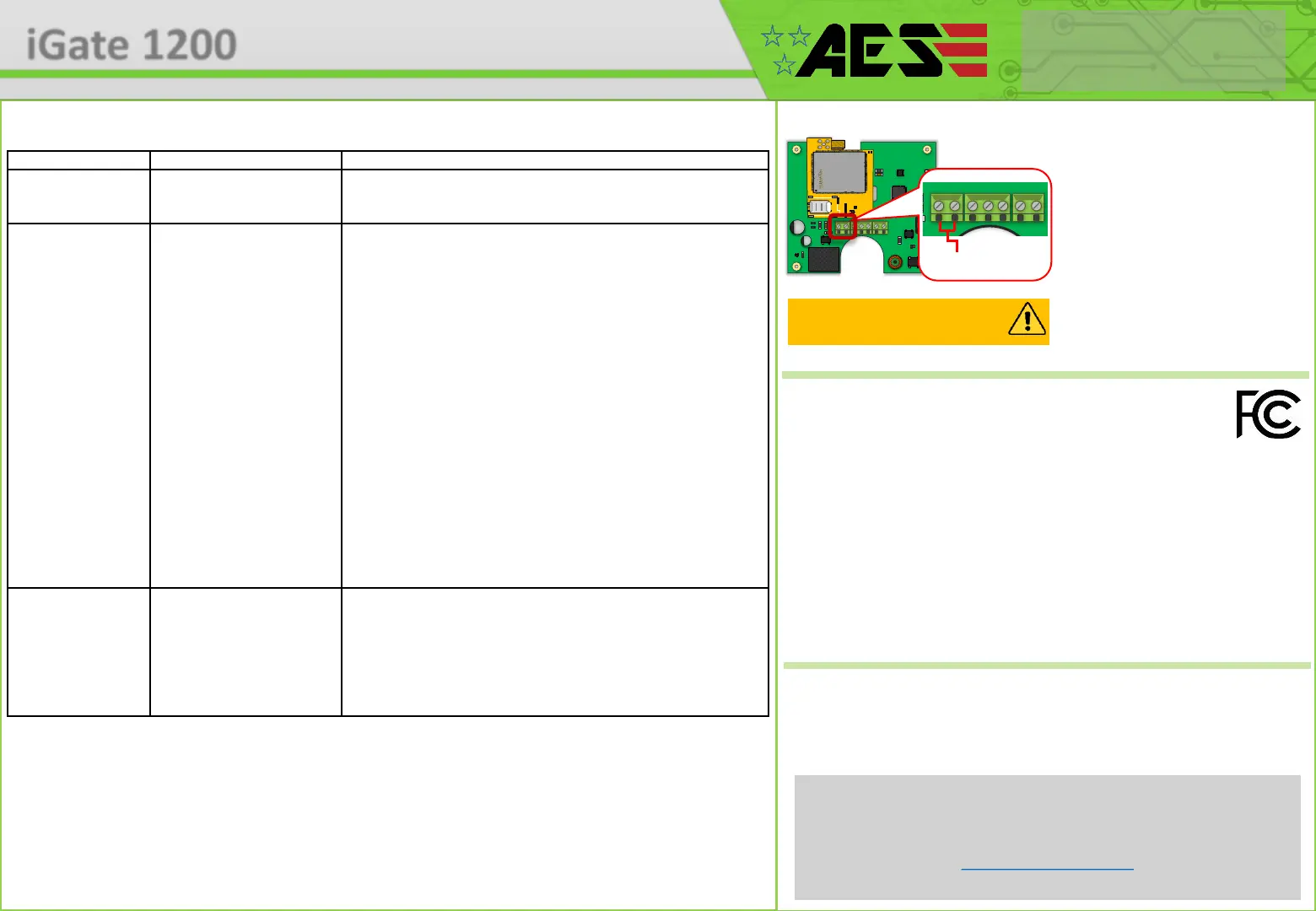
Reset / Default Unit
1) Power off the unit. (approx 60 secs)
2) Make a link across the terminals
marked OPEN.
3) Switch on power
4) After several seconds, the relay will
click.
5) The unit will then clear memory and
be defaulted
6) Remove the link and wait around 20
seconds.
Note: Performing this process will
remove all current programming.
This product is not a complete product until fully installed. It is therefore
considered a component part of an overall system. The installer is responsible to
check that the end installation complies with local regulatory requirements. This
equipment forms part of a “fixed installation”.
STILL HAVING TROUBLE?
Find all of our support options such as Web Chat, Full Manuals, Customer
Helpline and more on our website:
WWW.AESGLOBALUS.COM
+1 (321) 900 4599
FCC ID : 2ALPX-PRIME7-4GQA
EUT : CellCOM Prime 7 4G
Test Model : PRIME7-PX-IMPK-PED/4GA
Additional Model No. PRIME7-IMP-PED/4GA, PRIME7-PX-IMP-PED/4GA, PRIME7-IMPK-PED/4GA, PRIME7-PX-IMPK-PED/4GA,
PRIME7-AB/4GA, PRIME7-PX-AB/4GA, PRIME7-ABK/4GA, PRIME7-PX-ABK/4GA
Grantee: Advanced Electronic Solutions Global LLC
This device complies with Part 15 of FCC rules. Operation is subject to the following two conditions: (1) this device may not
cause harmful interference, and (2) this device must accept any interference received, including interference that may cause
undesired operation.
Output power listed is ERP below 1GHz for Part 22 and EIRP above 1GHz for Part 24. RF
exposure compliance is addressed for 1.1310 and 2.1091 MPE limits. The antenna(s) used
for this transmitter must be installed to provide a separation distance of at least 20 cm from
all persons.
End Users must be provided with transmitter operation conditions for satisfying RF exposure compliance.


 To Previous Page
 Loading...