Trouble Shooting
-05-
R
Professional Dog Trainer
AT-211D
H: What is the function of the rubber cap outside the charging port?
It prevents dust or water from coming into the charging port effectively. You need to plug the cap into the
charging port tightly when charging is completed.
I:How to turn on/off the anti bark feature?
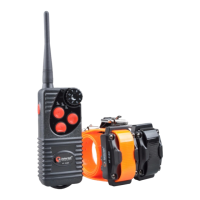
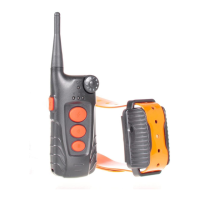
For 218, press and hold on the Flashlight button, then quickly press down Beep button, and the anti bark feature will be turned off;
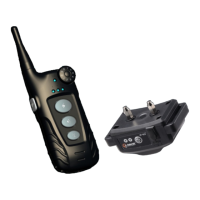
For 219, press and hold the microphone button for three seconds, and the anti bark feature will be turned on/off;
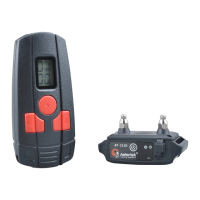
For 918C, press and hold on dog selection button on the side of Transmitter, and the anti bark feature will be turned on/off;
For 919C, quickly press the Flashlight button on the back side of the Transmitter, and the bark feature will be turned off;
J:The Receiver beeps, vibrates or shocks by itself constantly or occasionally.
1:Make sure the anti bark feature is turned off. For 219, the default status of the auto anti bark feature is on while that of the 218/918C/
919C is off. After auto mode feature had been turned off, for 218 and 918C, the auto mode LED light will go off; for 219, auto mode icon
MICROPHONE will disappear; for 919C, auto mode icon (SPEAKER) will be hollowed;
2:Make sure the Receiver has enough power, because the Receiver will alarm when it runs out of power.
3:Make sure any button of the Transmitter has not been touched.
4:Sync the Receiver with the Transmitter once again.
K:When buying individual Receiver or Transmitter, why do I need to double-check the version?
Aetertek updated all machine frequency from 433.92 MHz to 915 MHz, so every time you need to buy individual Receiver or Transmitter,
you must know the frequency you actually need; otherwise they will not be compatible.
L:After you unplug charger, the red LED light in the Receiver stays in solid to wait for sync, however it can never be synced with
Transmitter.
Please turn off your Receiver and re-sync it.
M:My Receiver seems to work by itself without the operation of the Transmitter.
Check whether the auto anti bark function is on. If Yes, turn it off.
N:The Auto anti bark feature is not working properly.
1: Make sure the auto anti bark feature had been turned on, then you can test the function by scratching the shocking prongs on the surface
of a desk, and the qualified Receiver will start to beep and vibrate.
2: Do an auto anti bark feature test on www.aetertek.com. (http://www.aetertek.com/pages/Auto-anti-bark-feature-test.html).


 To Next Page