Quick Start
6
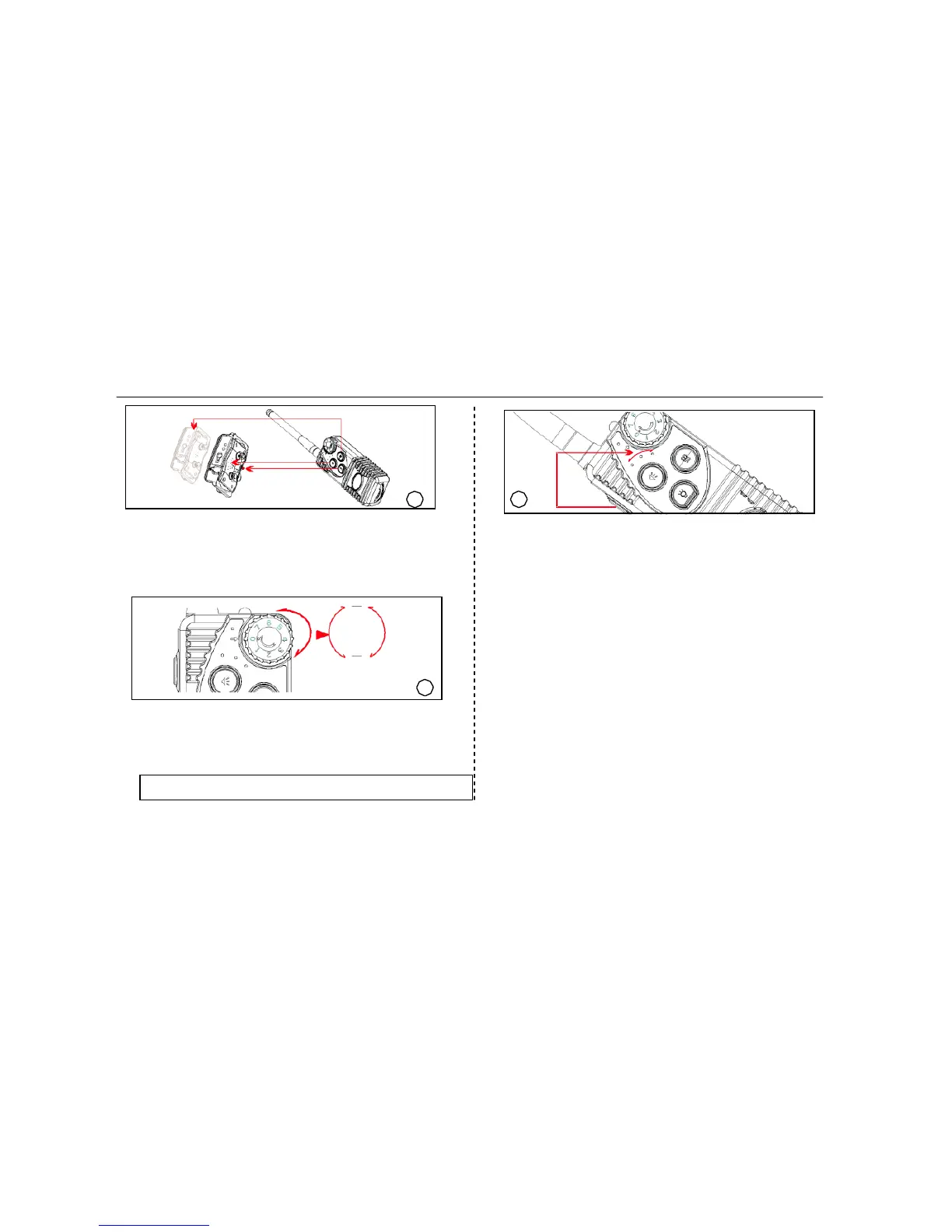
Step
6:
Check
the
Function
buttons
(beep,
vibrate,
shock)
Push
the
Beep
button
or
Vibrate
button,
the
receiver
will
produce
beeping
sound
or
vibration.
To
test
the
shocks,
cap
the
shock
test
kit
on
the
metal
prongs,
push
the
shock
button
to
see
the
bulb
light
up
immediately.
0 7
8
Step 8 Choose the dog mode(Dog1, or Dog2, or Dog3)
Push the Dog Switch button in the left of the transmitter to
choose a dog mode(Dog1,Dog2,Dog3). Push the button to
change dog mode from Dog1-Dog2-Dog3 . Dog 1 means the
first dog, Dog2 is for the second dog, Dog3 is for the second
dog . If you need to train the 3 dogs separately, please pair
the transmitter and receiver one by one
7
0
7
Step 7 Adjust the intensity or duration of the functions
Rotate the thumbwheel dial to choose the desired levels
of correctional signals.
Note
:
Longer(shorter)
holding
beep,
vibrate
or
shock
button
will
lead
to
longer
(shorter)
duration
of
beep,
vibrate
or
shock
time.
Start
to
train:
Put
the
collar
into
the
receiver,
wear
the
receiver
around
dog
’s
neck,
leave
one
finger
place
between
the
collar
and
the
neck,
then
it
’s
-04-
ready
to
train.


 To Next Page