18:Wl:1 ..': 2./33
OOOO00
• time oooooooo • distance
OO0000000O
_ncHne oooooooooooo speed
OOOOOOOOOOOOOO
I8:LID ..:: 2.83
OO0000
• time oooooooo • distance
OOOOOOOOOO
_ncHne oooooooooooo speed
O00000000OOOO0
95 15 1
calories heart rate
,\
9.03
• clock / date
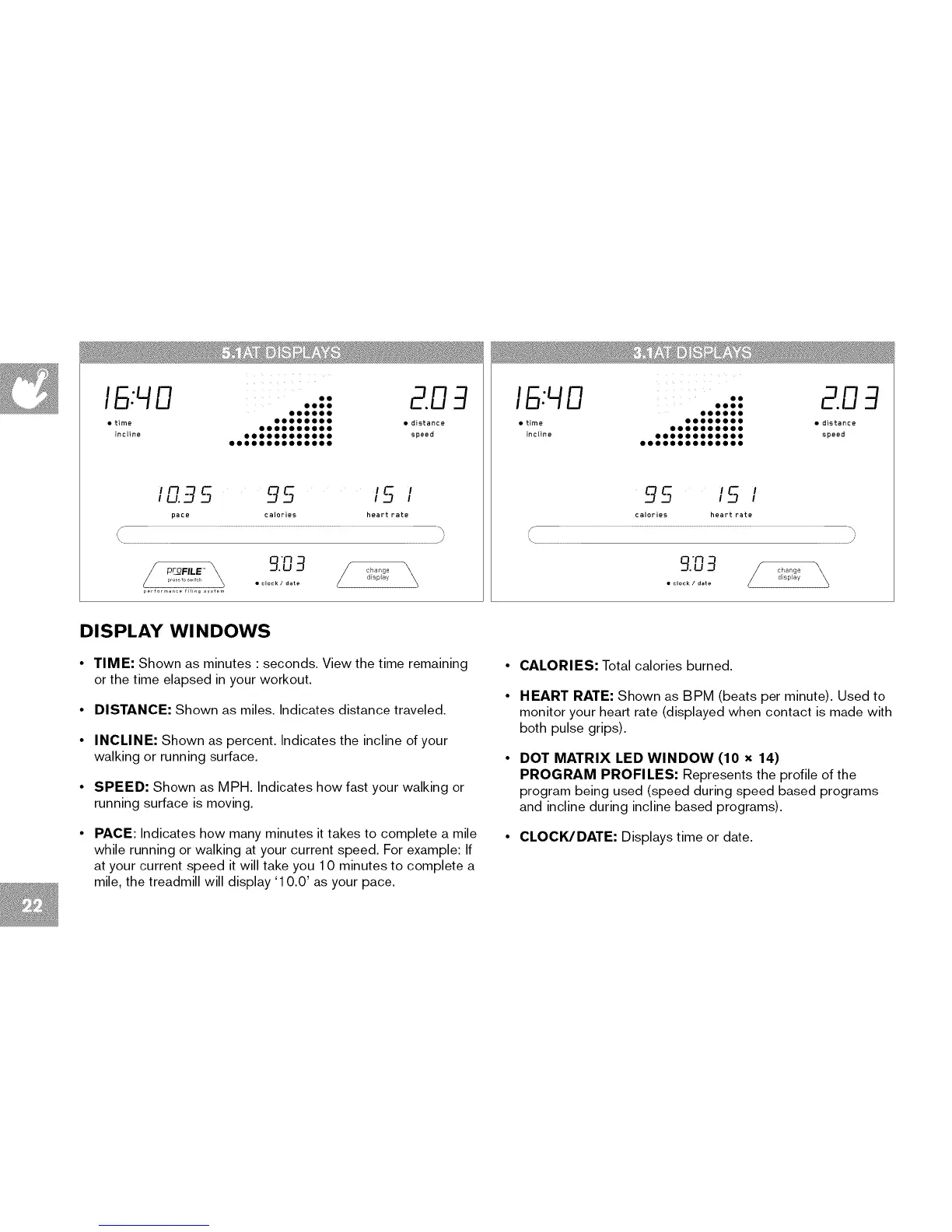
DISPLAY Wl NDOWS
• TIME: Shown as minutes : seconds. View the time remaining
or the time elapsed in your workout.
• DISTANCE: Shown as miles. Indicates distance traveled.
• INCLINE: Shown as percent. Indicates the incline of your
walking or running surface.
• SPEED: Shown as MPH. Indicates how fast your walking or
running surface is moving.
• PACE: Indicates how many minutes it takes to complete a mile
while running or walking at your current speed. For example: If
at your current speed it will take you 1 0 minutes to complete a
mile, the treadmill will display '1 0.0' as your pace.
CALORIES: Total calories burned.
HEART RATE: Shown as BPM (beats per minute). Used to
monitor your heart rate (displayed when contact is made with
both pulse grips).
DOT MATRIX LED WINDOW (10 x 14)
PROGRAM PROFILES: Represents the profile of the
program being used (speed during speed based programs
and incline during incline based programs).
CLOCK/DATE: Displays time or date.


 To Next Page