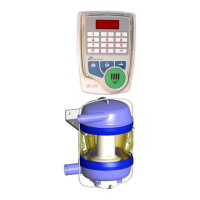
Installation procedures for ICAR certified meters
Afiflo 2000
Version July 2018
Installation manula for Afiflo 2000 mik meter - Page 2 of 33.
Table of Contents
1
Introduction................................................................................................................................ 3
2 The control panel....................................................................................................................... 3
3 Chapter 1: Overview .................................................................................................................. 4
3.1 The Milk Meter Body ............................................................................................................ 5
3.2 The Control Panel ................................................................................................................ 6
3.3 The Controller ...................................................................................................................... 7
4 Chapter 2: Operation ................................................................................................................. 8
4.1 The Start-up Sequence........................................................................................................ 9
4.2 The Primary Fields ..............................................................................................................9
4.3 Cow Number Field ............................................................................................................... 9
4.4 The operation keys ............................................................................................................ 11
4.5 Parlor alarms ..................................................................................................................... 13
5 Chapter 3. Monitoring data and sending messages.............................................................14
5.1 Sending messages............................................................................................................. 17
6 Chapter 4. Special features and operations .........................................................................19
6.1 Controlling entry and exit gates....................................................................................... 20
6.2 Data storage ....................................................................................................................... 20
6.3 Pulsation and strip field .................................................................................................... 20
7 Chapter 5. Cleaning route .......................................................................................................21
7.1 Recommendations ............................................................................................................. 21
7.2 General instructions .......................................................................................................... 22
7.3 Cleaning cycle .................................................................................................................... 23
7.4 Operation in cleaning mode.............................................................................................. 24
8 Chapter 6. Milk meter body and fat sampler ........................................................................25
8.1 Silicone and rubber component replacement ................................................................ 27
8.2 The fat sampler.................................................................................................................. 28
9 Chapter 7. Troubleshooting ....................................................................................................29
10 Appendix. Milk meter software version 19.01 .....................................................................30
10.1 Toggling cluster level........................................................................................................ 31



 To Next Page