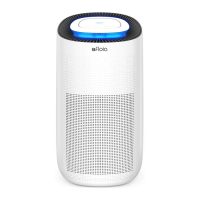
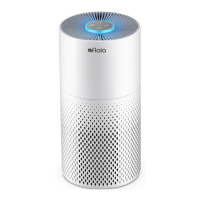
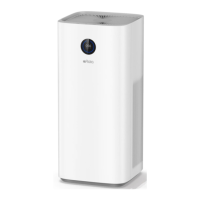
This document describes the Fillo Air Purifier, a device designed to improve air quality in indoor environments. The manual provides comprehensive instructions for its operation, installation, maintenance, and troubleshooting.
The air purifier's primary function is to clean the air by filtering out dust, pollutants, and other airborne particles. It features a multi-stage filtration system, including a main filter that needs to be regularly maintained and replaced. The device is not intended to replace normal ventilation, daily dust collection, or oil pumping during cooking.
Usage Features:
The Fillo Air Purifier is designed for ease of use with a straightforward control panel located on the top of the unit. The control panel includes several buttons and indicators to manage its various functions:
- Power Button: This button turns the machine on and off. When turned on, the power indicator and the low-grade wind speed indicator light up green, accompanied by a single buzzer ring. Pressing it again turns the machine off, with all lights extinguishing after another single buzzer ring. A convenient feature is that the machine records its working modes when turned off without being unplugged, allowing it to resume previous settings upon restart.
- Timer Button: This allows users to set an operating duration for the air purifier. While the machine is working, pressing the timer button cycles through 2-hour, 4-hour, and 8-hour timer settings, each accompanied by a buzzer ring and the illumination of the corresponding indicator. Pressing it again will turn off the timer indicator, allowing the machine to work continuously. Once a timer is set, the machine counts down, and when the time expires, the fan stops working, and all lights turn off. It's important to note that the timer button cannot be operated when the machine is in shutdown mode.
- Wind Speed Button: This button controls the fan speed, offering different levels of air purification intensity. Pressing the wind speed button once will activate it with a buzzer ring. Subsequent presses cycle through Low, Middle, and High-grade wind speeds, each indicated by a buzzer ring and the illumination of the corresponding indicator. Similar to the timer, wind speed adjustment cannot be made when the machine is off.
- Light Control Button: The air purifier includes a night light feature. Touching the light control button allows users to switch between a soft light mode and a standard light mode, each confirmed by a buzzer ring. Touching it again will turn the LED light off. This function is also inoperable when the machine is in shutdown mode.
- Indicators: Various indicators on the control panel provide visual feedback on the current settings, such as wind speed (H for High, M for Middle, L for Low) and timer settings (8H, 4H, 2H).
For optimal performance and safety, users should ensure the product is placed on a stable and horizontal surface. It requires at least 30cm of clear space on its back and sides, and 50cm above, to allow for proper air circulation. It is crucial to ensure both the filter and its cover are correctly installed before operating the device. To prevent physical damage or malfunction, no fingers or other objects should be inserted into the air outlet or inlet.
Maintenance Features:
Proper maintenance is essential for the longevity and efficient operation of the Fillo Air Purifier. The manual outlines several key maintenance procedures:
- Filter Installation and Replacement: Before initial use, the packaging of the filter must be removed. The machine should always be unplugged before removing or installing the filter. The installation process involves inverting the machine, rotating the base counter-clockwise ("OPEN" direction), removing the old filter, unwrapping the new filter, installing it, and then rotating the base clockwise ("CLOSE" direction) to secure it.
- Filter Replacement Reminder: The air purifier is equipped with a system to detect when the filter is saturated. When this occurs, the power indicator will flash red, signaling that the filter needs to be replaced. After installing a new filter, the user must press the power button for 7 seconds to reset the filter life counter.
- Regular Cleaning: The dust on the filter should be wiped regularly. It is explicitly stated that the filter should not be washed or reused repeatedly. Users should only use filters specifically designed for this product.
- General Cleaning & Storage:
- Before any cleaning, ensure the machine is powered off and unplugged.
- The exterior surface of the unit and the air inlet/outlet can be cleaned using a soft cloth with a neutral cleanser to remove dust or debris.
- The machine should never be immersed in water or any other liquid.
- Abrasive, corrosive, or flammable cleansers (such as bleach or alcohol) should not be used on any part of the unit.
- A vacuum cleaner should not be used to clean the filter directly.
- The filter should be sterilized under sunlight regularly.
- After cleaning, ensure the machine is completely dry before storing it. It should be placed in a bag and kept in a cool, well-ventilated area.
- If the machine is not used for an extended period, it is recommended to turn it on for a few minutes occasionally, following the previous storage steps, to ensure good performance.
- A critical warning is provided: do not drop any water into the machine when cleaning the air outlet.
Troubleshooting:
The manual includes a FAQ section to help users diagnose and resolve common issues, such as the machine not working, poor performance, significant noise, or a nasty smell coming from the unit. If problems persist or require maintenance beyond the scope of the FAQ, users are advised to contact the supplier or after-sales service center and refrain from disassembling the machine themselves.

 Need help?
 General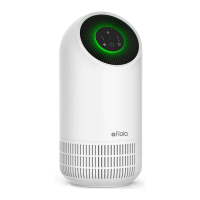

 To Next Page