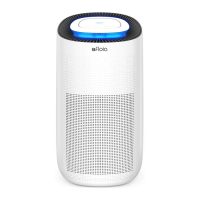
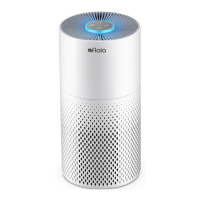
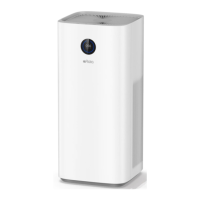
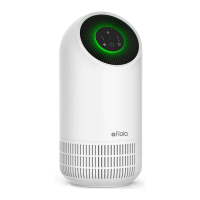
The Afloia Miro Pro is an air purifier and humidifier designed for indoor use, offering a comprehensive solution for improving air quality and comfort. It combines a multi-stage filtration system with natural evaporation humidification, ensuring clean, humidified air without impurities or mist accumulation.
Function Description
The primary function of the Afloia Miro Pro is twofold: air purification and humidification. For air purification, it employs a 3-stage filtration system to remove various airborne particles and odors. The humidification function uses natural evaporation, which means it does not produce mist, preventing the accumulation of dust and ensuring pure humidification.
Important Technical Specifications
- Model: Miro Pro
- Power Supply: Input: 100-240V 50/60Hz, Output: 24V-1.2A
- Rated Power Input: 23W
- Water Tank Capacity: 1.9L
- Mist Output: 150ml/h
- Noise Level: 24-55 dB
- Coverage Area: 219ft²/20m²
- Dust Collecting Method: Mechanical dust collecting method
- Product Size: D7.6 × W7.6 × H21.8 inch / D195 × W195 × H555 mm
- Product Weight: 5.7 lbs / 2.6kg
- Place for Use: Indoors
- Filtration System: True HEPA 3-Stage Filter, including Pre-Filter, H13 True HEPA, and Active Carbon Filter.
Usage Features
The Miro Pro offers several user-friendly features to enhance its operation and convenience:
- Air Purification: The 3-stage filtration system, featuring an improved filter with a larger expansion area and longer length, effectively captures particles.
- Humidification: Utilizes natural evaporation to humidify the air without producing mist, ensuring that the humid air does not contain impurities and does not accumulate dust.
- Timer Setting: Users can set the operational timer for 2, 4, or 8 hours, allowing for customized usage based on preference. The device will automatically turn off once the timer is up.
- Adjustable Fan Speed: Three fan speed levels (Low, Moderate, High) are available. The lowest speed operates quietly, making it suitable for use during sleep.
- 7 Color LED Light: The device includes a 7-color LED light with three modes: seven-color cycle, current color hold, and light off. This adds an aesthetic element and can be used as a night light.
- Control Panel: Features intuitive buttons for Power, Fan Speed (L-M-H), Timer (2H-4H-8H), and Light Control.
- Power Button: Turns the air purifier on/off. A single touch turns it on with a default low fan speed, and another touch turns it off.
- Fan Speed Button: Cycles through Low, Moderate, and High fan speeds. The corresponding indicator light illuminates for the selected speed.
- Timer Button: Sets the timer for 2, 4, or 8 hours. The device beeps and the indicator lights up for the selected timer. If the timer indicator is switched off, the air purifier will work continuously.
- Light Control Button: In standby state, the first press cycles through seven colors (blue-cyan-green-yellow-orange-red-purple). The second press holds the current color, and the third press turns the light off.
- Optimal Placement: For maximum purification efficiency, it is recommended to place the air purifier on the floor, at least 1ft (30cm) away from walls.
- Power Connection: The device operates on 100-240V 50/60Hz. Users are advised to ensure dry hands before plugging in the power cord.
Maintenance Features
Maintaining the Afloia Miro Pro is crucial for its longevity and performance:
- Filter Replacement Indicator: A built-in LED light flashes red to remind users when the filter needs to be replaced.
- Filter Replacement Cycle: Filters should be replaced every 3-6 months, though this may vary based on usage frequency and air quality.
- Resetting Filter Alert: After installing a new filter, the power button should be pressed for 7 seconds to reset the filter replacement alert. This step is not necessary for first-time use.
- General Maintenance:
- Always unplug the product before any maintenance.
- Do not immerse the air purifier in water or any liquid.
- Avoid using abrasive, corrosive, or flammable cleansers (e.g., bleach, alcohol) on any part of the unit.
- Do not wash the filter.
- Do not use a vacuum cleaner to clean the filter.
- Regularly wipe dust off the filter.
- Only use filters designed for this air purifier.
- Cleaning and Storage:
- Ensure the product is powered off and unplugged.
- Use a soft cloth with a neutral cleanser to clean dust or debris from the surface and air intake/vent.
- If storing for a long time, turn on the product for a few minutes periodically to ensure good performance.
- Do not allow water to enter the product when cleaning the air outlet.
- Humidification Module Instruction:
- Remove packing material from the humidifier filter before use.
- Place the humidification module on a flat surface, peel off the water tank cover, and place the humidifier filter in the water tank.
- Add water to the water tank below the overflow hole, ensuring it does not exceed the side overflow holes.
- Close the water tank cover and place the humidification module on the air outlet grill of the air purifier.
- Keep the humidifier filter dry after use.
- Note: The humidifier filter may yellow over time due to environmental factors; this is normal. It is recommended to replace the wet curtain after 3 months of use or if severe yellowing occurs.
Safety Instructions
The manual emphasizes several safety precautions to ensure safe and proper use:
- Keep packing material away from children to prevent suffocation.
- Use the device indoors only.
- Connect to a socket with the correct voltage (refer to rating plate).
- Do not modify or repair the device.
- Do not use if the power cable or mains plug is damaged or if the socket connection is unstable.
- Ensure the power cable is not crushed or damaged and is placed to avoid tripping hazards.
- Disconnect the plug for cleaning or when not in use for extended periods.
- Do not touch the plug or device with wet hands.
- Do not spray insect repellent near the device.
- Avoid using in rooms with fuel vapor, oil vapor, or metal dust.
- Do not use volatile liquids (petroleum, kerosene, paint thinner, polishing paste) for cleaning.
- Do not expose the device to rain, water, moisture, or high humidity, and do not set it up in a bathroom or kitchen near a sink.
- Prevent foreign objects from entering the outlet grilles.
- Do not use near naked flames or sparks.
- The device is not suitable for removing harmful gases like carbon monoxide.
- Supervise children or individuals with reduced physical, sensory, or mental abilities when using the device.
- Do not block the air intake or outlet.
- Do not expose to direct sunlight, naked flames, or heat.
- Use only within specified technical parameters in living quarters.
- Do not use near a smoke detector, as air blowing towards it could delay or prevent an alarm.
- Always disconnect the mains plug before maintenance, cleaning, moving, or changing the filter to avoid electric shock.
- Do not use spray cans with flammable contents near the air purifier.
- Do not use flammable cleaning agents.
For any issues or missing parts, customers are advised to contact Afloia customer service via email (service@afloia.com) or Facebook messenger, rather than returning the product to the retailer. The manual also provides troubleshooting steps for common problems and directs users to the Afloia website (www.afloia.com) for warranty information and other products.



 To Next Page
 General