AFN7500HD User Guide
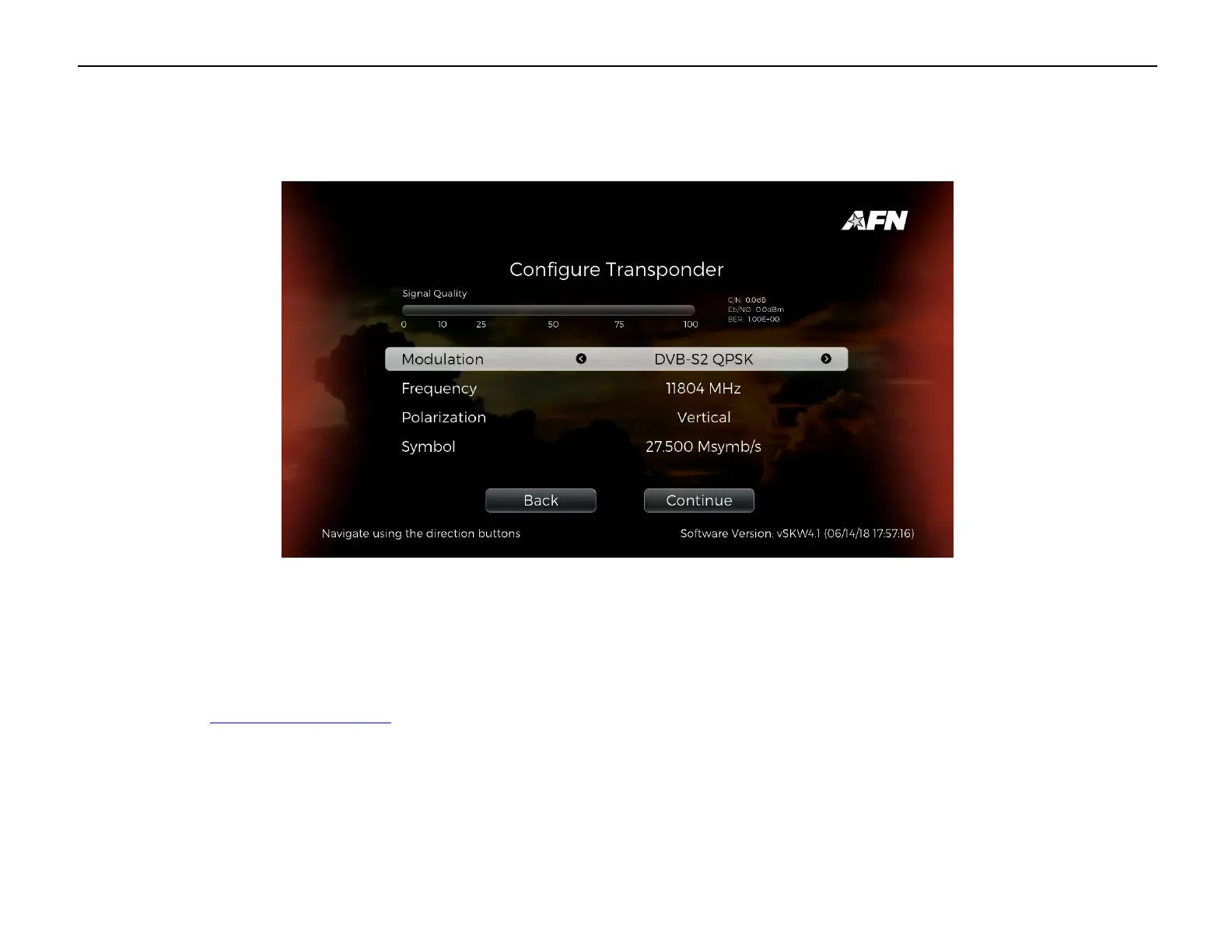
If Transponder is set to Manual, make sure the ‘Modulation’, ‘Frequency’, ‘Polarization’, and ‘Symbol’ are correct and select ‘Continue’.
A progress bar will appear, followed by the number of Services found. Select ‘Continue’ to return to the menu. The Satellite should now
be setup.
Your actual settings may be different depending upon which satellite you’re using to obtain the AFN signal. Settings guides for all satellites
are available on http://www.myafn.net/.


 To Next Page