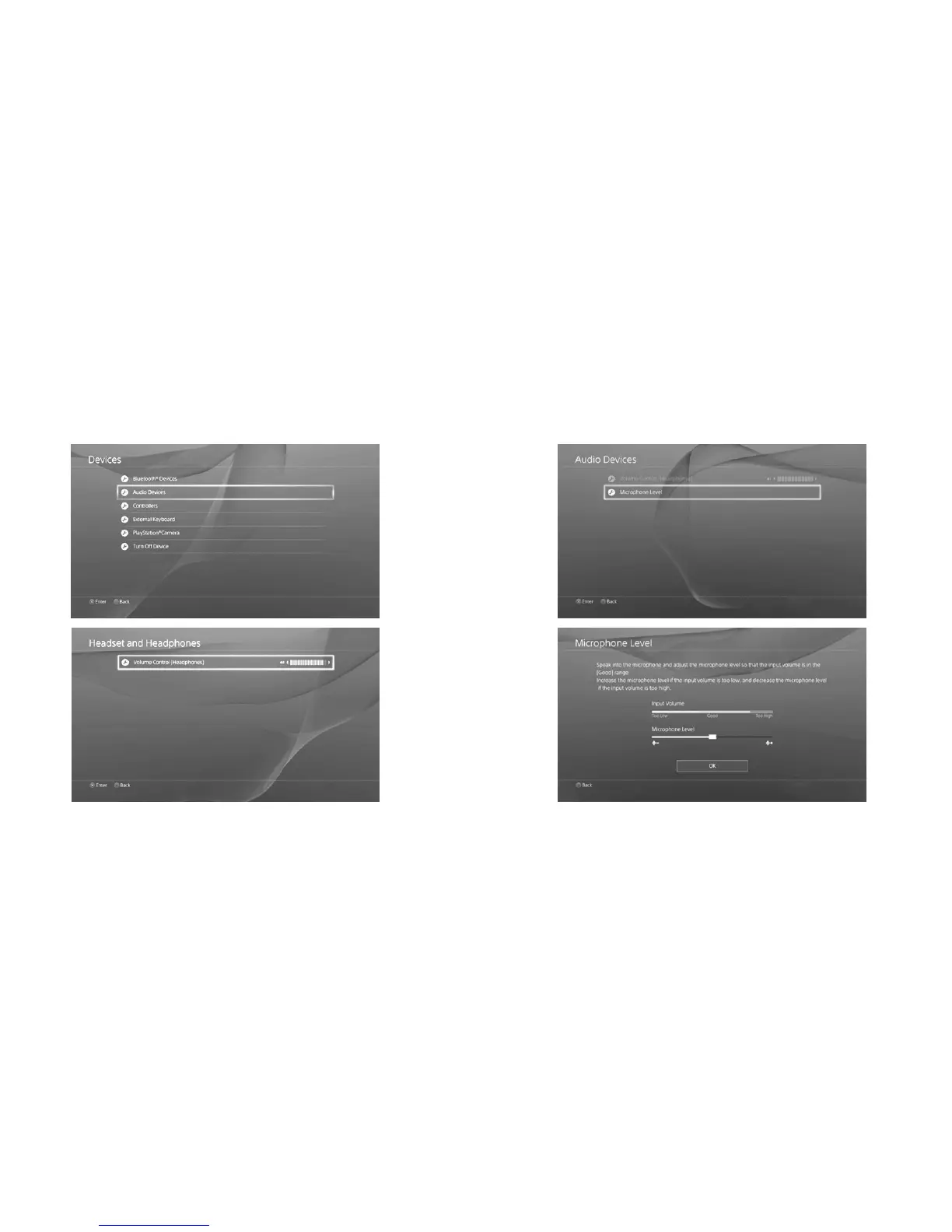
6. You can adjust your microphone input levels on the console menu: Go to PlayStation
®
4
menu >Settings > Devices > Audio Devices > Microphone Level
** To mute your microphone, press the MUTE button located on your left ear cup. You will be
alerted that your microphone is muted by a voice prompt.
5. Make sure your volume is turned up. If you want to further increase the volume, you can do
so in the PlayStation
®
4 menu: Go to the PlayStation
®
4 menu > Settings > Devices > Audio
Devices > Volume Control



 To Next Page