EasyManua.ls Logo

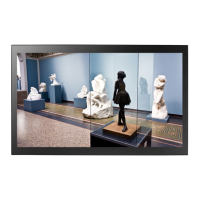
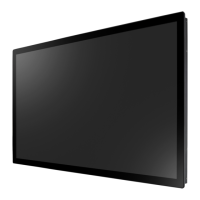
AG Neovo TX-3202 - User Manual

AG Neovo TX-3202
40 pages
Print Icon
To Next Page IconTo Next Page
Loading...
TX-3202 Touch Screen Display
User Manual
www.agneovo.com

Questions and Answers

Summary

SAFETY INFORMATION

Setup Precautions

Guidelines for safely placing and setting up the LCD display.

Usage Precautions

Important safety precautions to follow while using the LCD display.

MAKING CONNECTIONS

Connecting the Power

Instructions for connecting the power cord to the display and outlet.

Input Source Connections

How to connect the display to a computer using DisplayPort, HDMI, or VGA.

USB Touch Screen Connection

How to connect the USB cable for touch screen functionality.

USING THE LCD DISPLAY

Power On;Off Operation

Detailed steps to turn the LCD display on and off.

OSD Menu Access

Instructions on how to open and close the On-Screen Display (OSD) menu.

Quick Adjustments

Guide on adjusting display brightness and contrast using quick menus.

ADJUSTING THE LCD DISPLAY

APPENDIX

Warning Messages

Lists common warning messages, their causes, and solutions.

Touch Screen Driver Installation

Information on downloading and installing touch screen drivers.

Troubleshooting Guide

Lists common problems and their possible causes and solutions.

AG Neovo TX-3202 Specifications

General IconGeneral
Display Size32 inches
Resolution1920 x 1080 (Full HD)
Brightness350 cd/m²
Contrast Ratio3000:1
Viewing Angle (H/V)178°/178°
Response Time8 ms
Aspect Ratio16:9
Touch Points10 points
Touch TechnologyInfrared
InterfaceHDMI, VGA, USB
Power Consumption60 W
Operating System CompatibilityWindows, Linux, Android

Related product manuals