EasyManua.ls Logo

AG Neovo TX-42P - User Manual

AG Neovo TX-42P
51 pages
Print Icon
To Next Page IconTo Next Page
Loading...
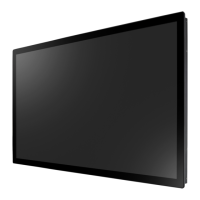
TX-32P & TX-42P LED-Backlit Touch Display
User Manual

Table of Contents

Questions and Answers

  • S
    Stephen HallAug 9, 2025
    What to do if there is no picture on my AG Neovo Monitor?
    • J
      John WoodardAug 9, 2025
      If your AG Neovo monitor displays no picture, ensure the power cord is plugged in, the main power switch is on, and a signal connection is properly connected to the display.
  • M
    Miguel GarciaAug 13, 2025
    Why can I see the picture but no sound is heard on my AG Neovo Monitor?
    • M
      Michael WilcoxAug 13, 2025
      If you can see the picture but hear no sound on your AG Neovo Monitor, check the following: * Ensure both video and sound input cables are correctly connected. * Verify the volume isn't turned down. Use the remote control's volume buttons to increase it. * Check if the MUTE function is on and switch it off using the MUTE button on the remote. * Confirm external speakers are connected and the volume is appropriately adjusted.
  • R
    Robert SmithAug 17, 2025
    What to do if picture is distorted with abnormal patterns on AG Neovo Monitor?
    • J
      Jacob MccoyAug 17, 2025
      If the picture on your AG Neovo monitor is distorted with abnormal patterns, ensure the signal cable is firmly attached. Also, check if the input signal is within the display's capabilities by verifying the video signal source against the display's specifications.
  • A
    Anna TorresAug 21, 2025
    Why is the color abnormal on my AG Neovo Monitor?
    • V
      Valerie HarringtonAug 21, 2025
      If the color on your AG Neovo monitor appears abnormal, ensure the signal cable is firmly attached to the bottom of the display.
  • N
    nicholasbatesAug 26, 2025
    What to do if I can hear sound, but no picture on AG Neovo Monitor?
    • B
      Brady SullivanAug 26, 2025
      If you can hear sound but see no picture on your AG Neovo Monitor, make sure that both video and sound inputs are correctly connected.
  • T
    Tammy BrandtAug 30, 2025
    Why do I see interference on my AG Neovo Monitor?
    • S
      Samuel NicholsAug 30, 2025
      If you notice interference on your AG Neovo monitor or hear audible noise, it may be caused by surrounding electrical appliances or fluorescent lights. Try moving the display to another location to see if the interference is reduced.
  • D
    David GallowaySep 3, 2025
    Why some picture elements do not light up on AG Neovo Monitor?
    • A
      Amanda ThomasSep 3, 2025
      This AG Neovo display is manufactured using high-precision technology. It is normal for some pixels not to display and does not indicate a malfunction.

AG Neovo TX-42P Specifications

General IconGeneral
Screen Size42 inches
Resolution1920 x 1080
Touch TechnologyInfrared
Brightness450 cd/m²
Response Time8 ms
Aspect Ratio16:9
Viewing Angle (H/V)178°/178°
Touch Points10
Operating System CompatibilityWindows, Linux, Android
Weight20 kg
Speakers2 x 10W
ConnectivityHDMI, VGA, USB

Related product manuals