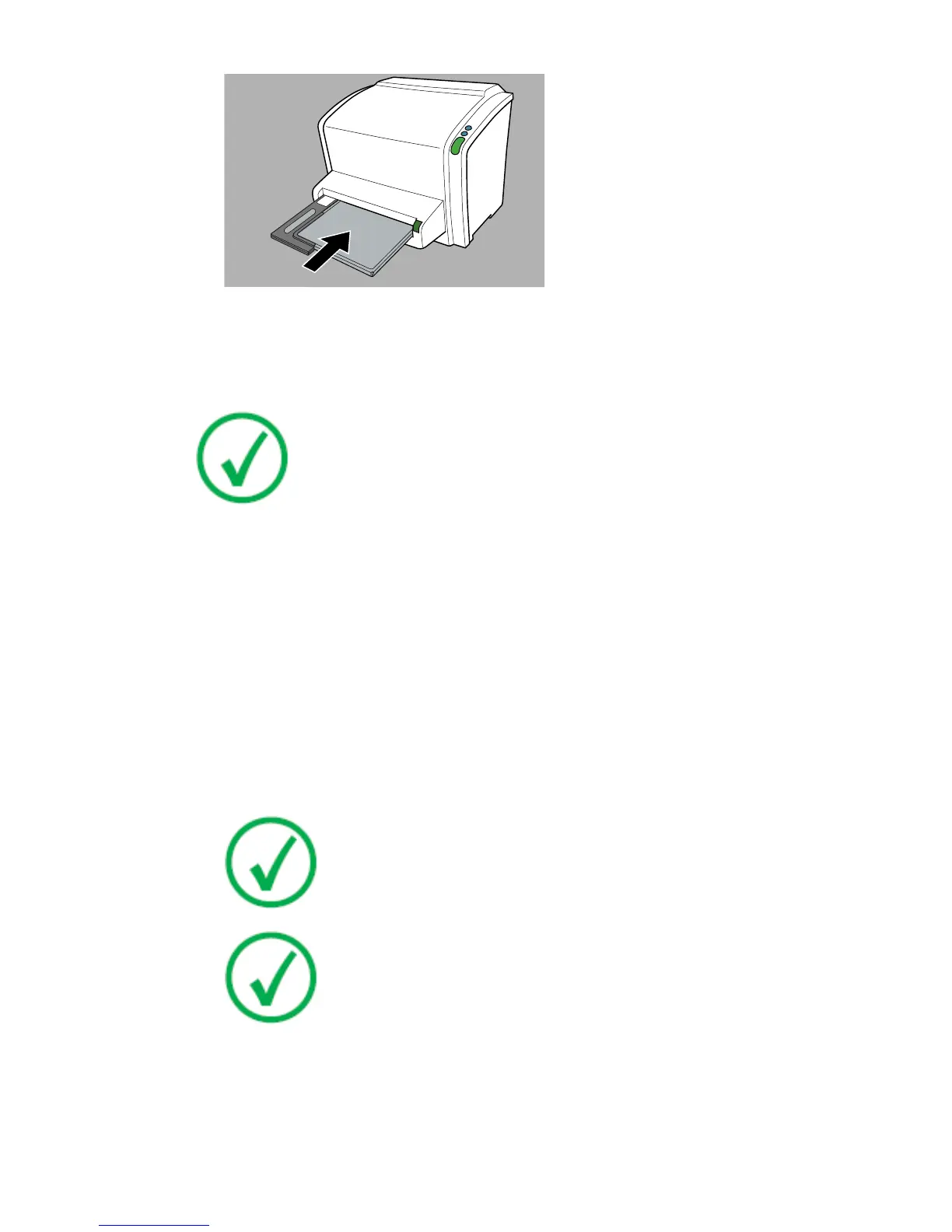
Figure 6: Inserting 24 cm x 30 cm cassette using the cassette adapter
Once the cassette is locked, the status indicator on the digitizer is blinking
yellow.
Note: The cassette is unidentified, so the digitizer will send a
request to the NX station. The NX software must be operational,
otherwise the digitizer is locked and the status indicator is blinking
red.
The digitizer sends a request to the NX station.
Related Links
Cassette formats on page 78
Cassette adapter on page 14
At the NX workstation:
1. In the Examination window of NX, select the thumbnail in the Image
overview pane.
2. On CR 12-X and CR 15-X the scan resolution can be modified.
Note: The availability of the scan resolution field is configured
in the NX software. A default scan resolution is configured in
the NX software for Genrad and for FLFS examinations. Refer
to the NX Key User Manual.
Note: CR HD5.0S General image plate does not support 150µm
scan resolution. If 150µm scan resolution is displayed on the
NX Image Detail Pane, the actual scan resolution is 100µm and
for further processing the actual scan resolution of 100µm is
used.
a) Click Edit in the Image Detail Pane
b) Edit the scan resolution field.
c) Click OK.
3. Click ID to send the data to the digitizer.
CR 10-X, CR 12-X, CR 15-X | Getting started |
43
2491E EN 20150409 1543



 To Next Page