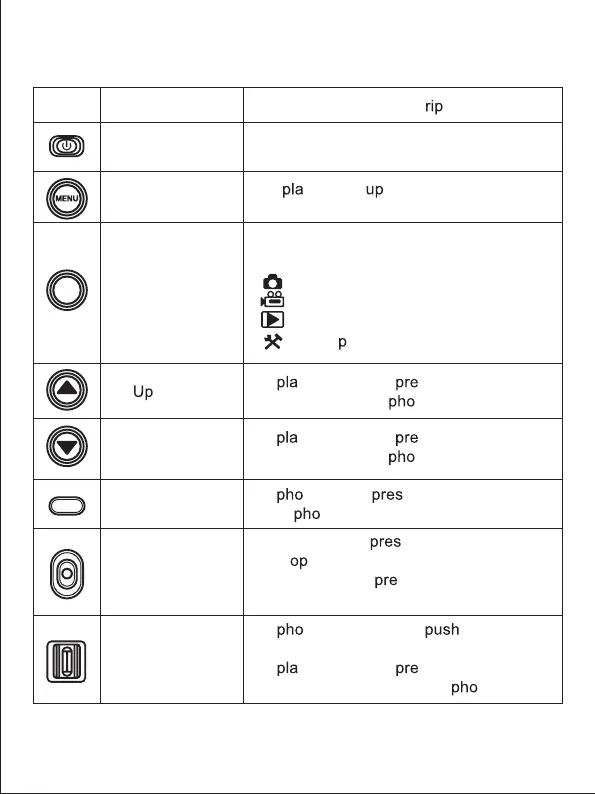
Buttons fonctions
Icon Button name
Power button
Menu button
Mode button
button
Down button
Shutter button
Record /OK button
Zoom button
Function desc
tion
Turn on/off the camcorder or LED light.
Dis
y the set menu of the different
modes.
Press this button to switch to the modes:
Photo
Vidéo
Playback
Setu
In yback mode, ss this button to
scroll through the
to or video files.
In yback mode, ss this button to
scroll through the
to or video files.
In to mode, s this button to
take
tos.
In video mode,
s this button to start
or st
video recording.
In setting mode,
ss this button to
confirm a selection.
In
to / video mode, the buttonto
the left or right to zoom in or out.
In
yback mode, ss this button to
reduce / magnify / move a
to.
MODE
2



 To Next Page