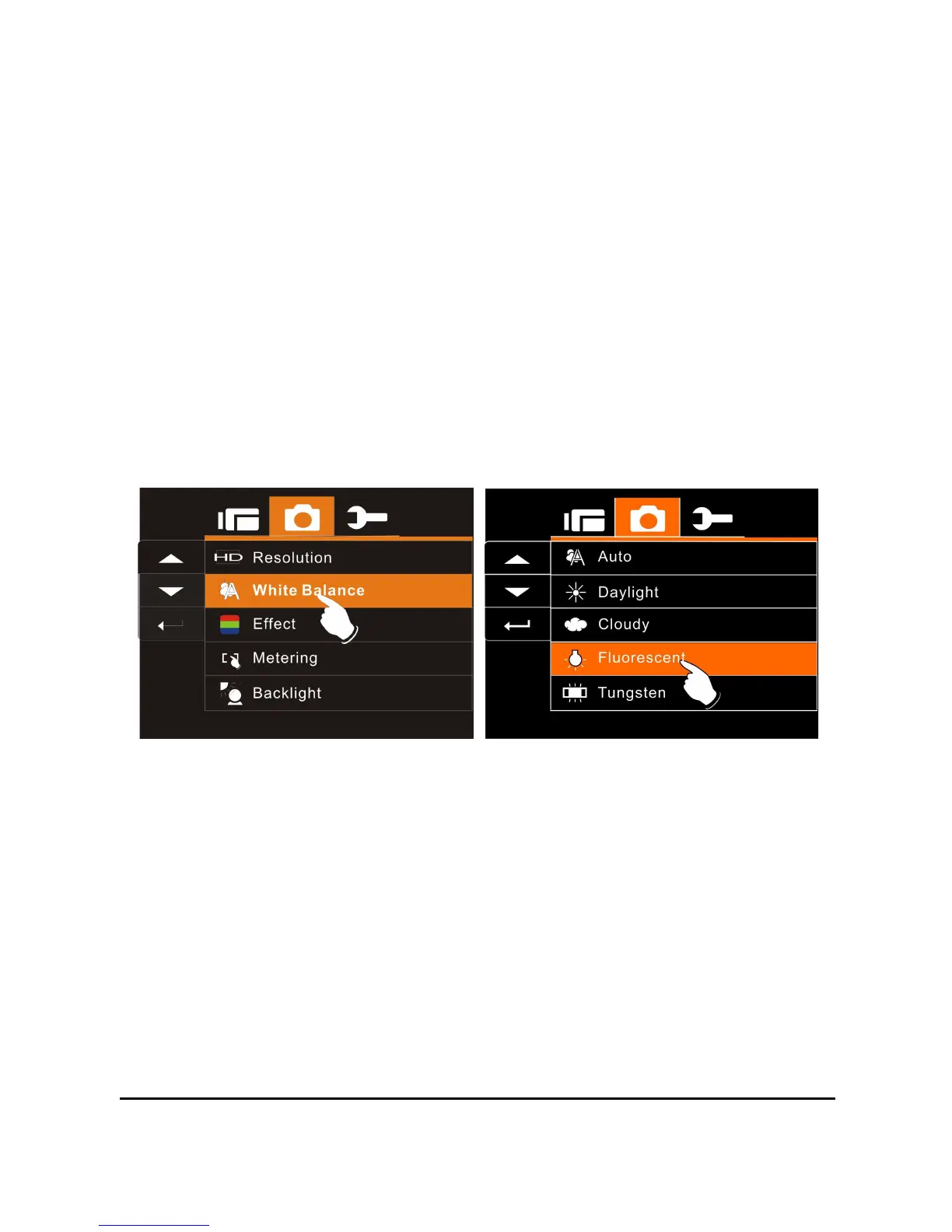
6.3.2 White Balance
1. Turn on the Digital Video Camera and make sure it is in the
DSC Mode.
2. Press SET (Menu) Button and move the 4-Way Direction
Button to highlight the White Balance item. Press SET (Menu
Button) to display submenu; or touch the screen to select the
item.
3. Use 4-Way Direction Button to select Auto, Daylight, Cloudy,
Fluorescent or Tungsten. Press SET (Menu) Button to
confirm; or touch the screen to select the item.



 To Next Page