30
Using the included AC Wall Charger, plug the unit into any wall outlet to charge the unit. You will know
the unit is charging when the blue LED battery indicators are blinking. The unit is fully charged when
all battery indicators stop blinking and remain solid. After the unit is fully charged, please remove the
AC wall charger in time.
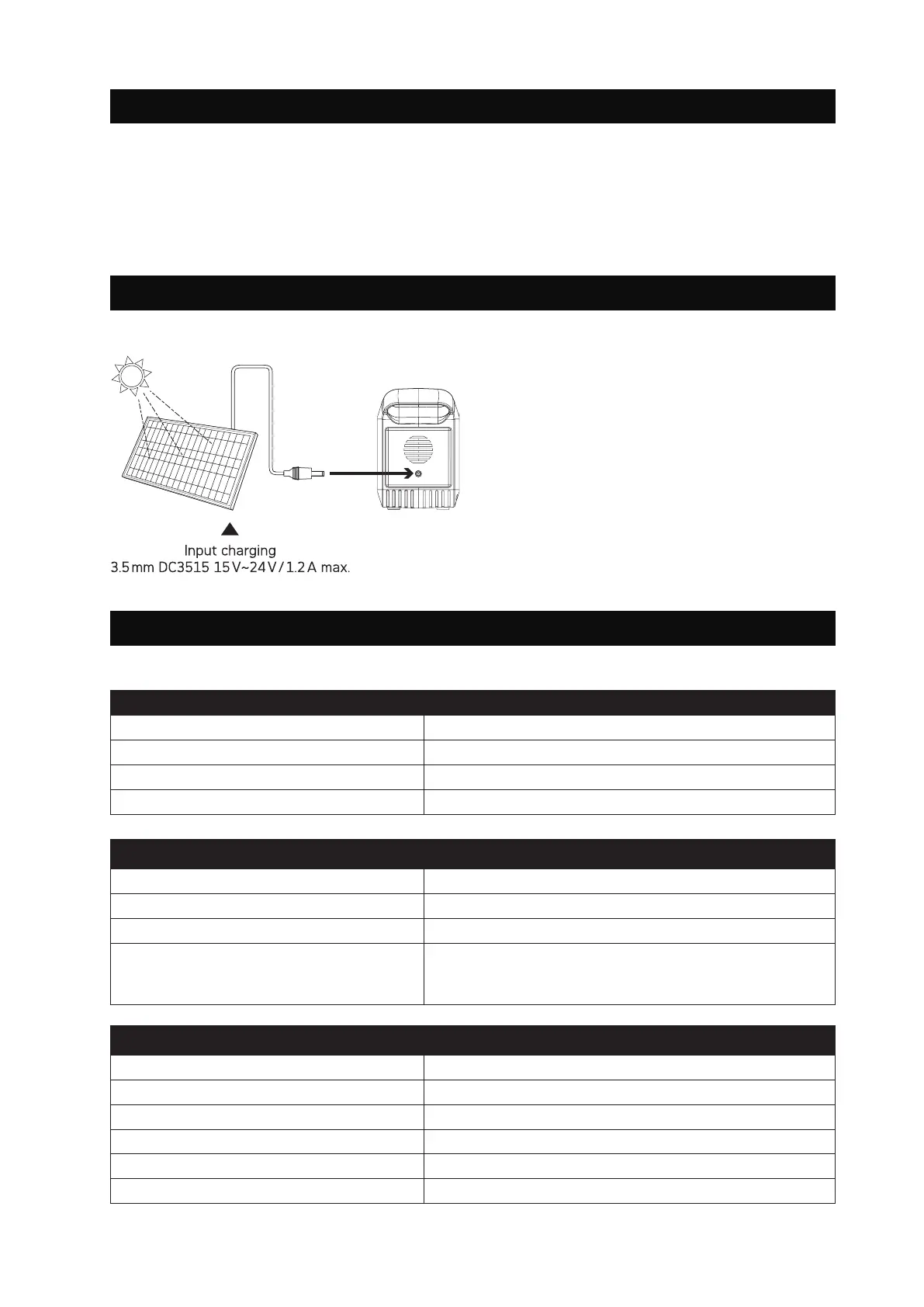
1. Place your solar panel where it will get as much
direct sunlight as possible.
2. Plug the output of the solar panel into the input
of the unit to start charging.
You will know the unit is charging when the blue
LED battery indicator lights up and flashes.
The unit is fully charged when all battery indi-
cators stop flashing and remain solid.
General informations
Net. Weight 1.04 kg (2.29 lbs)
Working temperatures -10°C - +40°C (14°F - 104°F)
Dimensions (LxWxH) 165 x 80 x 117 mm (6.49 x 3.14 x 4.60 inch)
Certificates CE, FCC, UN38.3
Battery
Cell type Lithium-Ion
Output
|
Capacity 80W continuous, 120W peak
|
88.8 Wh
Lifecycles >500
Management system
Overcharge Protection, OverDischarge Protection,
OverCurrent Protection, OverPower Protection,
Short-Circuit Protection
Ports
Input
|
1x 3.5mm DC35135 15~24 V, 1.2 A max.
Output
|
2x USB 5 V, 2.4 A (Total 4.8 A max.)
Output
|
2x USB (QC 3.0) 5-12 V, 2 A (Total 5 V, 3.4 A, 18 W max.)
Output
|
1x Type-C (PD 3.0) 5 V, 3 A / 9 V, 2 A / 12 V, 1.5 A (18 W max.)
Output
|
1x 5.5mm DC5521 12-16.8 V, 10 A (13 A max.)
Output
|
1x AC 230 V / 50 Hz 80 W (120 W max.)
6.3. CHARGING VIA MAINS POWER SUPPLY
7. TECHNICAL SPECIFICATIONS
6.4 CHARGING VIA SOLAR PANEL


 To Next Page