ILT.2012
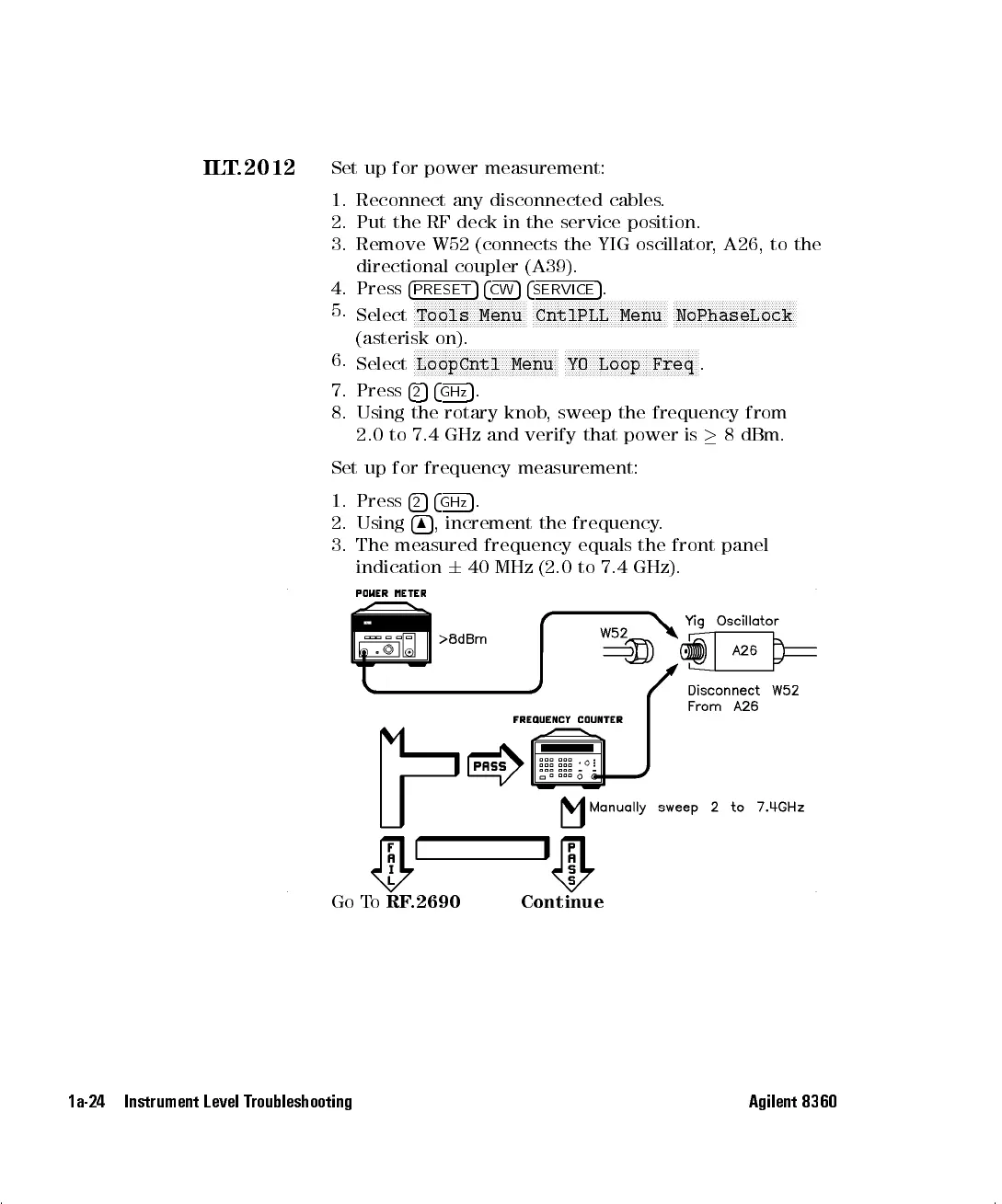
Set up for power measurement:
1. Reconnect any disconnected cables.
2. Put the RF deck in the service position.
3. Remove W52 (connects the YIG oscillator, A26, to the
directional coupler (A39).
4. Press
4
PRESET
54
CW
54
SERVICE
5
.
5.
Select
NNNNNNNNNNNNNNNNNNNNNNNNNNNNNNNN
Tools Menu
NNNNNNNNNNNNNNNNNNNNNNNNNNNNNNNNNNNNNN
CntlPLL Menu
NNNNNNNNNNNNNNNNNNNNNNNNNNNNNNNNNNN
NoPhaseLock
(asterisk on).
6.
Select
NNNNNNNNNNNNNNNNNNNNNNNNNNNNNNNNNNNNNNNNN
LoopCntl Menu
NNNNNNNNNNNNNNNNNNNNNNNNNNNNNNNNNNNNNN
YO Loop Freq
.
7. Press
4
2
54
GHz
5
.
8. Using the rotary knob, sweep the frequency from
2.0 to 7.4 GHz and verify that power is
8 dBm.
Set up for frequency measurement:
1. Press
4
2
54
GHz
5
.
2. Using
4
8
5
, increment the frequency.
3. The measured frequency equals the front panel
indication
6
40 MHz (2.0 to 7.4 GHz).
Go To
RF.2690 Continue
1a-24 Instrument Level Troubleshooting Agilent 8360


 To Next Page
 Loading...