

EasyManua.ls Logo

AGPtek G29 - User Manual

AGPtek G29
19 pages
Print Icon
To Next Page IconTo Next Page
Loading...
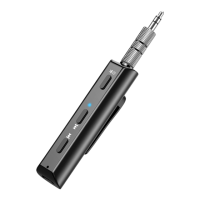
AUX port
Clip
MFB
LED indicator
Vol+/Previous
Vol-/Next
Mic
AGPTEK Bluetooth Audio Receiver
User Manual
Question and Answer IconNeed help?

Do you have a question about the AGPtek G29 and is the answer not in the manual?

Summary

Charge the Receiver

Power On;Off

Power On

Press and hold MFB for 3s until LED turns blue. Voice prompt 'Power on'. Red/blue LEDs flash, entering pairing mode.

Power Off

Press and hold MFB for 3s. Red LED flashes, voice prompt 'Power off'. Device is powered off.

Pairing & Connecting

Connecting to 2 Phones

Operation

Play;Pause Music

Press MFB to pause/play music.

Volume and Track Control

Press/hold MFB to adjust volume. Press to switch previous/next song.

Call Handling

Answer, hang up, or reject calls using MFB press/hold.
AGPtek G29 Specifications

General IconGeneral
BrandAGPtek
ModelG29
CategoryReceiver
LanguageEnglish

Related product manuals
