minutes, if the speakerphone has not
been used for a long time or the battery
1) Power on. Press and hold the button
“ M ” for 2-3 seconds until you hear a
prompt tone. The blue LED flash on
2) Power off. Press and hold the button
“M”until you hear a prompt tone. The
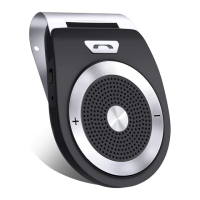
When using the Bluetooth Hands-free
Speakerphone for the first time, you need to
pair it with your mobile phone. (Effective
1) Turn on the Bluetooth In-car
Speakerphone, the speakerphone has a
prompt tone as well as the blue LED
2) Activate your mobile phone’s Bluetooth
function to search for the pairing name
of Bluetooth Hands-free Speakerphone.
3) Select the pairing name of Bluetooth
Hands-free Speakerphone in your
mobile phone, and press it to pair (some


 To Next Page