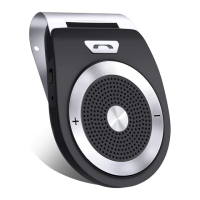
speakerphone, the speakerphone will play
the MP3/WMA audio file in priority to the TF
card. When playing music, press and hold
the button of +/- to adjust the volume. And
also you can press the button +/- to choose
NOTES: If there is a incoming call, the
speakerphone will switch to hands-free call
mode. After ending the call, the
speakerphone will play music once again.
When the battery becomes low, the
speakerphone will have a prompt tone
“DuDu”, which means you should charge
the speakerphone to make it work well.
9. Activate Siri or Google assistant of your
Connecting the Hands-free Bluetooth
Speakerphone to your phone, double click
the button“M”to activate Siri or Google
assistant of your phone. If it is activated
successfully, a prompt tone
“DingDong”will be heard. (Siri for iPhone
phones, Google assistant for Android


 To Next Page