AGROSTA®100 USB
DIGITAL FIRMNESS INSTRUMENT
13 Rue du Bastringue 76440 SERQUEUX - FRANCE
lak@agrosta.org - www.agro-technology.co.uk – Tel +33 689494340
CONSULT PREVIOUS BATCHES
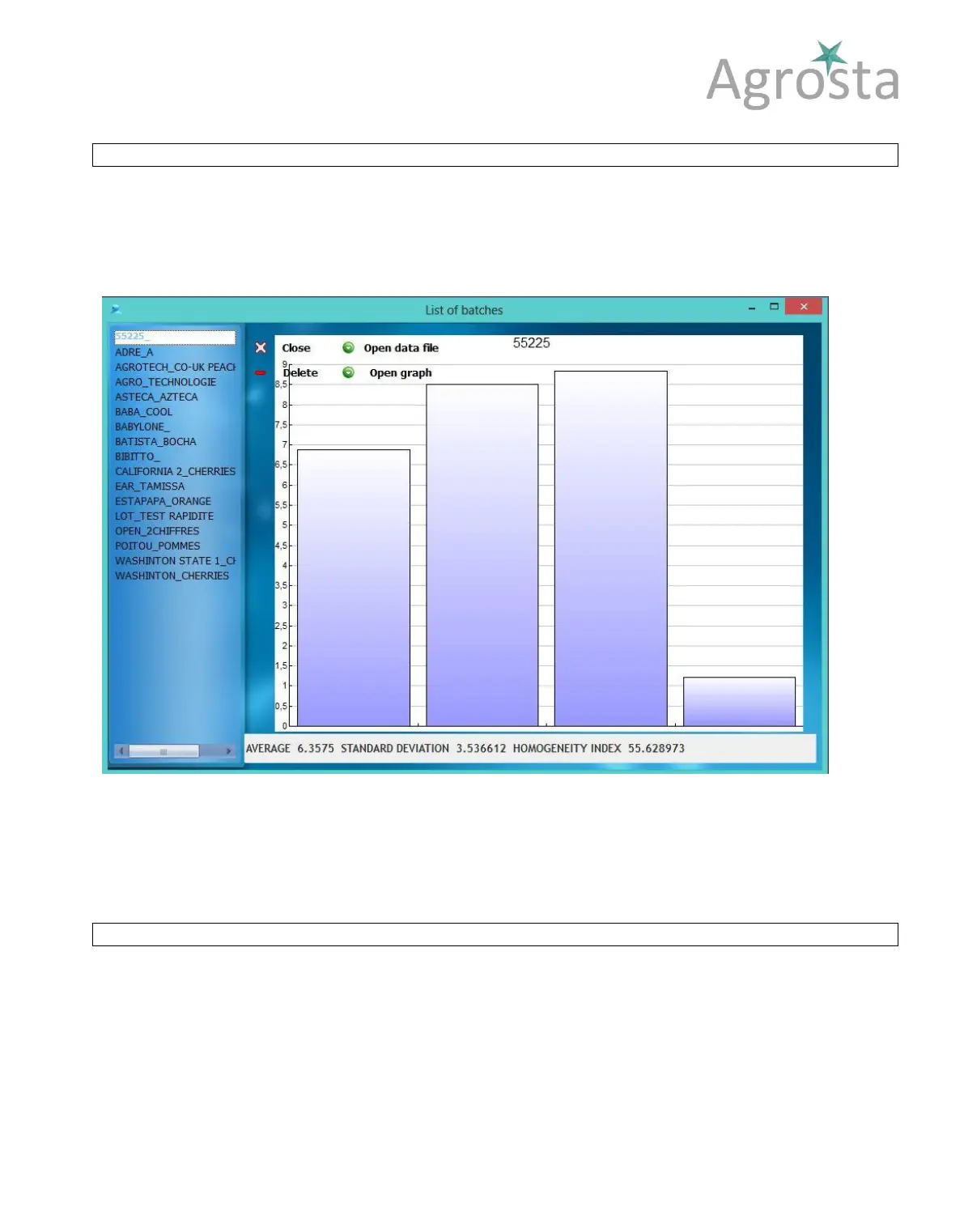
Just press the button “ACCESS TO BATCHES” in order to access to previous batches graph and statistics
You can as well delete old batches from this window
Close the consultation window, the main window appears
By clicking on “Open data file”, you can open the .csv file corresponding to your batch.
Excel is launched if it is defined in your computer as default software for the .csv files
If you click on “Open graph”, the drawing software of your computer is launched, and the graph is displayed
as a picture.
SELF CALIBRATION – NEW !
You can check if the calibration of your device is still valid.
1
st
– Start the instrument according the starting procedure above (Be sure that the sensor is in the
right position when you start the device !!
2
nd
– Press very strongly the tip on an hard and flat surface, like a table – You should obtain more
than 96 % (The best is to obtain 100%) – If it is not the case, contact Agrosta for calibration
YOUR CALIBRATION STAYS VALID AS LONG AS YOU OBTAIN 100 % ON AN HARD SURFACE



 To Next Page
 Loading...