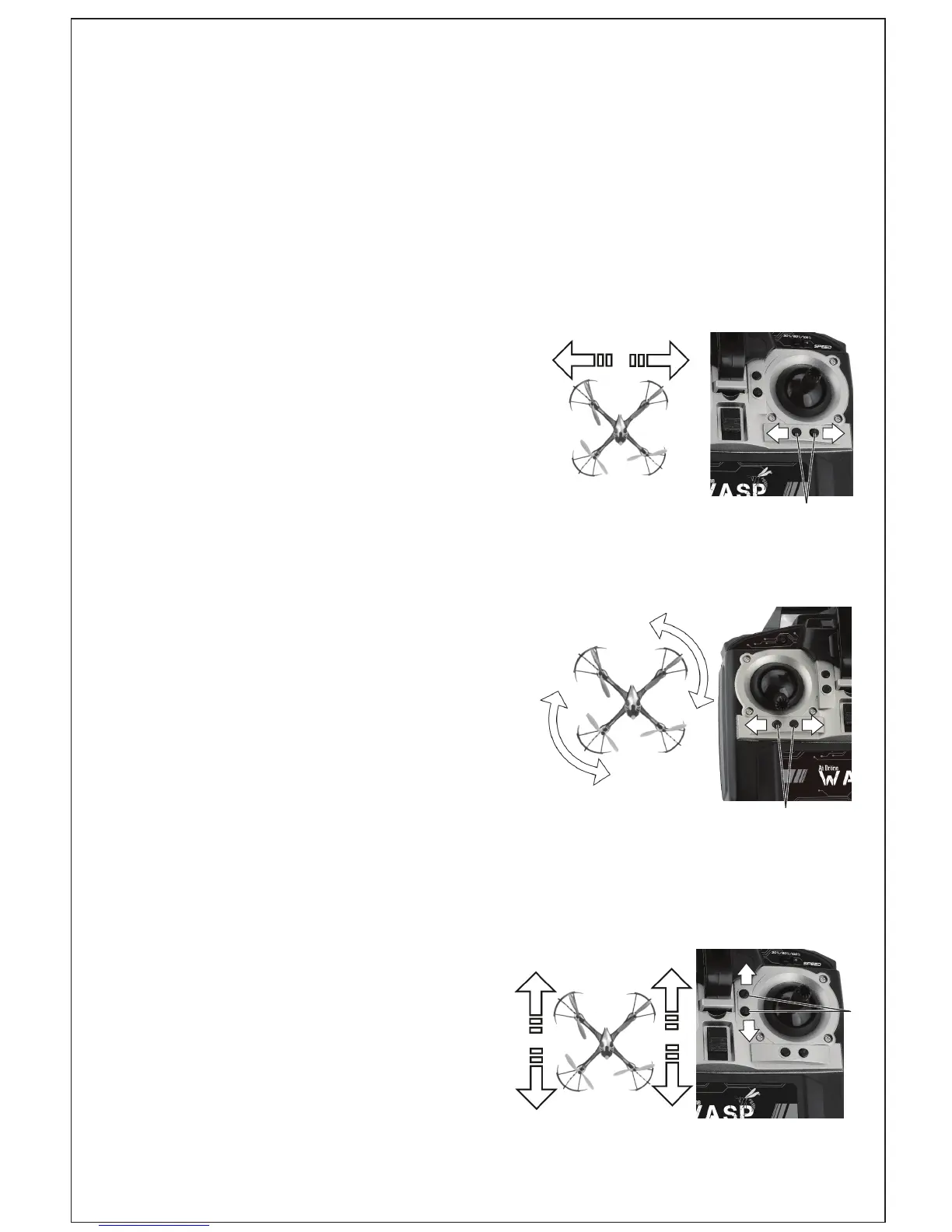
TRIM ADJUSTMENT
WASP Drone must be switched on rst in order to connect it to the
remote control. WASP Drone adjustment is simple, but it requires some
patience and a feel for it. Please observe the following instructions
precisely: Carefully move the thrust control up and raise the WASP Drone
appox. 5 feet in alltitude.
If the WASP Drone automatically
moves slowly or quickly to the left
or right, gradually press the trim for
sideways ight in the opposite direction
as shown in E1.
E1
If the WASP Drone moves by itself
slowly or quickly around its own axis,
press the trim adjustment for rotation
incrementally in the opposite direction
as shown in E2.
E2
If the WASP Drone automatically
moves slowly or quickly forwards
or backwards, gradually press the
forward/backwards trim in the
opposite direction as shown in E3.
E3
6



 To Next Page