The Alarm will now send a signal to all the other RF devices in the system to exit
House Code. Alternatively, the RF Alarms will automatically exit the House Code
mode after 30 minutes. To check the system, press the test button on any Alarm.
After a few seconds all Alarms should now sound. All Alarms in the system should
be checked similarly. Caution: Do not House Code another group (e.g. adjacent
apartment) until the current House Code has been completed.
Factory Reset
Sometimes in order to resolve an RF communication issue it may be necessary
to reset (factory reset) and House Code the system again. To do so, press and
hold the House Code button until you see a flashing blue light on the Alarm cover
(approx. 7 seconds), release immediately. Repeat this procedure on all Alarms.
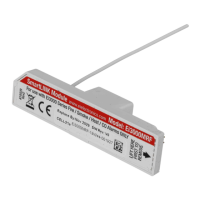
Removing the Ei3000MRF Module
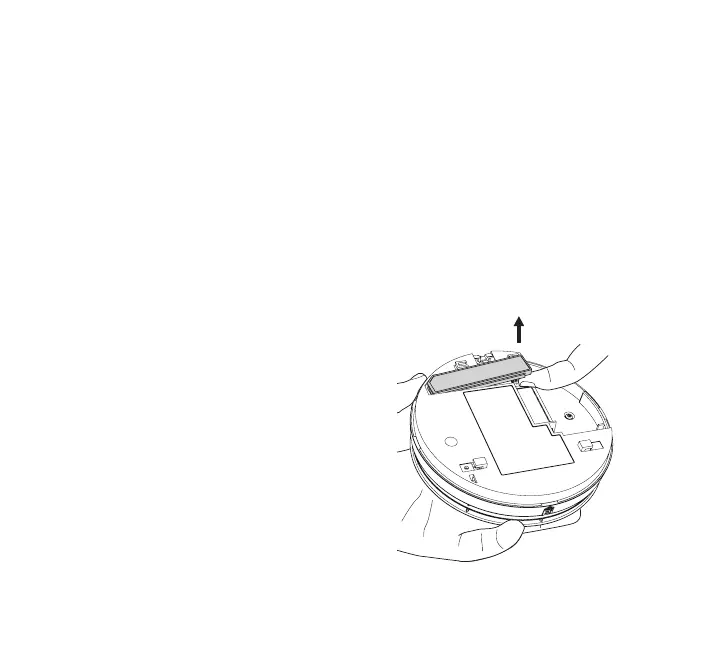
If it is necessary to remove or replace
an RF Module already fitted to an Alarm,
it can be taken out by firstly using your
index finger to lift it by 5 to 6mm to release
the connection pins (Fig. 5a), repeat this
process on the opposite end to release
the antenna (Fig. 5b), after which the
module can be fully removed from the
Alarm by lifting it away while keeping the
pins perpendicular to the Alarm (Fig. 5c).
Figure 5a
8


 To Next Page