4. Automatic keep warm mode When you choose PROGRAM
“Black/Oolong/White/Green/Delicate/Coee/Warm/Formula” to complete the temperature,it will automatically
keep the temperature for 10 minutes.Boil mode /212°F Temperature will not automatically keep warm for 10
minutes.(automatic keep warm mode is designed for users who brew tea or coee to enhance the Experience)
Example:
If the preset temperature is 185°F, the process is as following:
1. Plug in and turn on the kettle.
2. Use PROGRAM button to select White as temperature setting.
3. Press START CANCEL button to start boiling.
4. After the temperature has reached 185°F, the 10 minute KEEP WARM mode will initiate.
NOTE:
1. Minimum capacity of water needed for boiling is 0.5 L.
2. This appliance has a dry-run safety feature. If there is no water inside the kettle during operation, it will automatically turn
o to prevent the heating plate overheats.
3. If the kettle overheats, fill it with cold water and wait 2 minutes before resuming.
WHITE GREEN DELICATEOOLONGBLACK
BOIL WARMCOFFEE FORMULA
Featured function
Keep warm
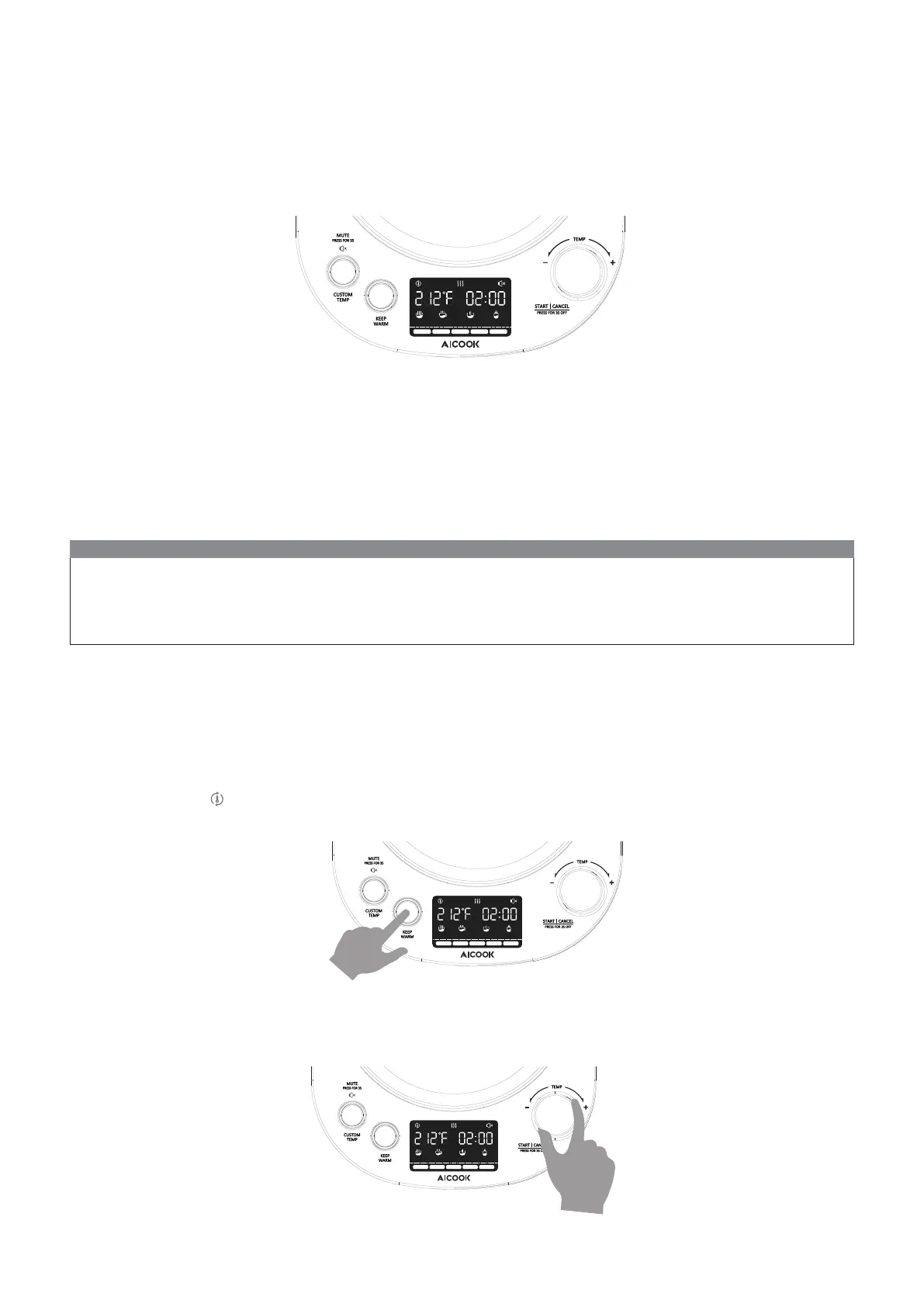
After turning on, follow the instructions below to complete the KEEP WARM setting:
1. Press the KEEP WARM button to set the keep warm mode. The PROGRAM button light flashes at the same time.(You
will see 02:00 and icon are displayed on the LCD.)
2. KEEP WARM temperature setting: Rotate PROGRAM knob to select eight dierent temperatures, including
Black/Oolong/White/Green/Delicate/Coee/Warm/Formula.
WHITE GREEN DELICATEOOLONGBLACK
BOIL WARMCOFFEE FORMULA
WHITE GREEN DELICATEOOLONGBLACK
BOIL WARMCOFFEE FORMULA
7


 To Next Page