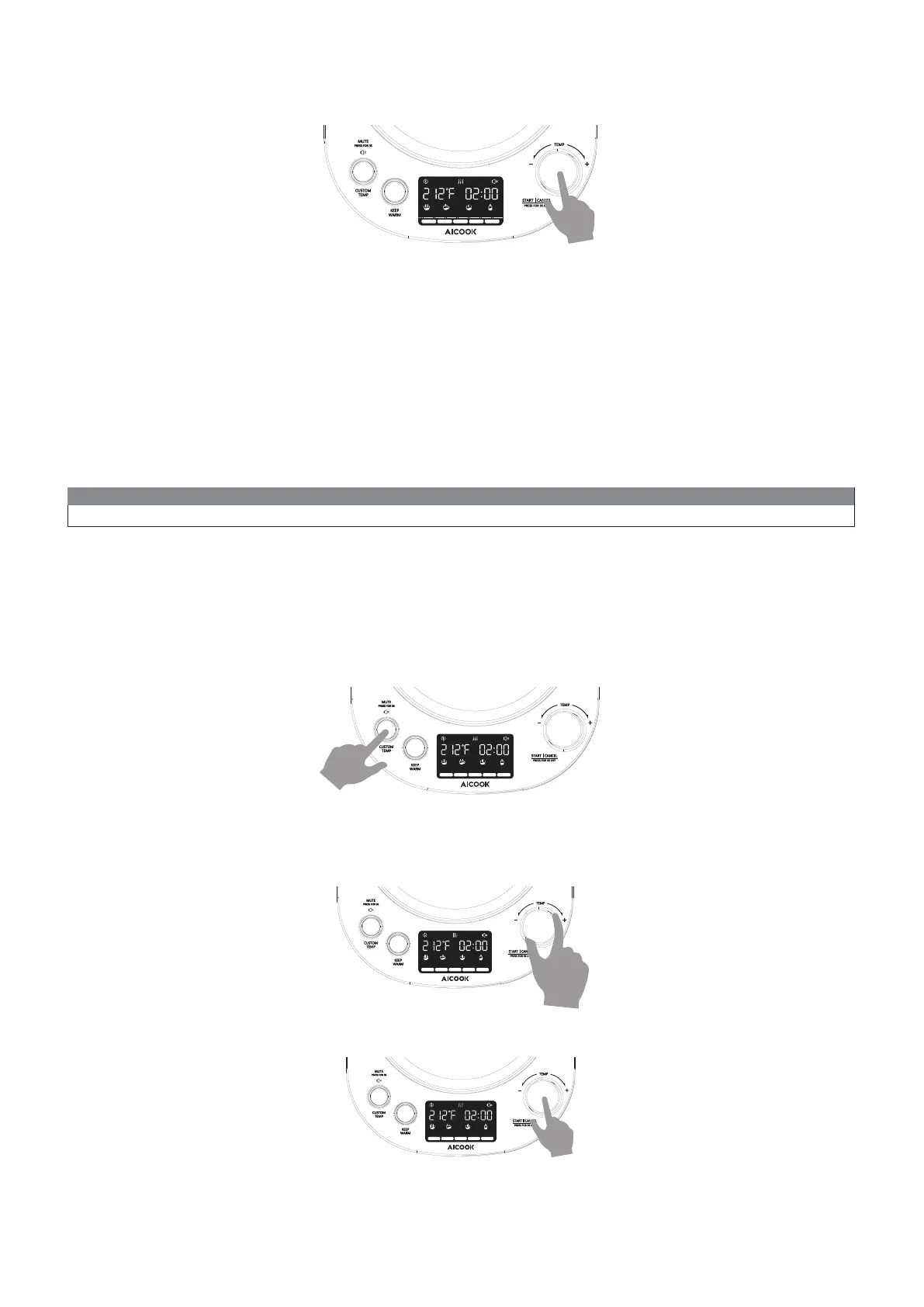
3. Press START CANCEL button to begin KEEP WARM. Heating icon will be displayed:
4. Press the switch to boil the water when the actual temperature is higher than the selected working temperature. The
heat conserving timer will start when the water temperature has dropped to the set value.
WHITE GREEN DELICATEOOLONGBLACK
BOIL WARMCOFFEE FORMULA
Custom Temp
After turning on,follow the instructions below to complete a Custom Temp setting:
Example:
To set the KEEP WARM temperature as 185°F :
1. Press KEEP WARM button to start KEEP WARM mode.
2. Rotate PROGRAM key to select the KEEP WARM temperature as 185°F.
3. Press START CANCEL key to activate KEEP WARM.
1. Press Custom Temp key to activate Custom Temp setting.(You will see the actual temperature value blinks for a while.)
2. Rotate the PROGRAM knob to adjust the required temperature
3. Pree START CANCEL button to start heating.
NOTE:
You can also put steps 1 and 2 in reverse order to operate.
WHITE GREEN DELICATEOOLONGBLACK
BOIL WARMCOFFEE FORMULA
WHITE GREEN DELICATEOOLONGBLACK
BOIL WARMCOFFEE FORMULA
WHITE GREEN DELICATEOOLONGBLACK
BOIL WARMCOFFEE FORMULA
8


 To Next Page