DocNo.FM5545issueBPage7
7.REPLACINGTHEBATTERY
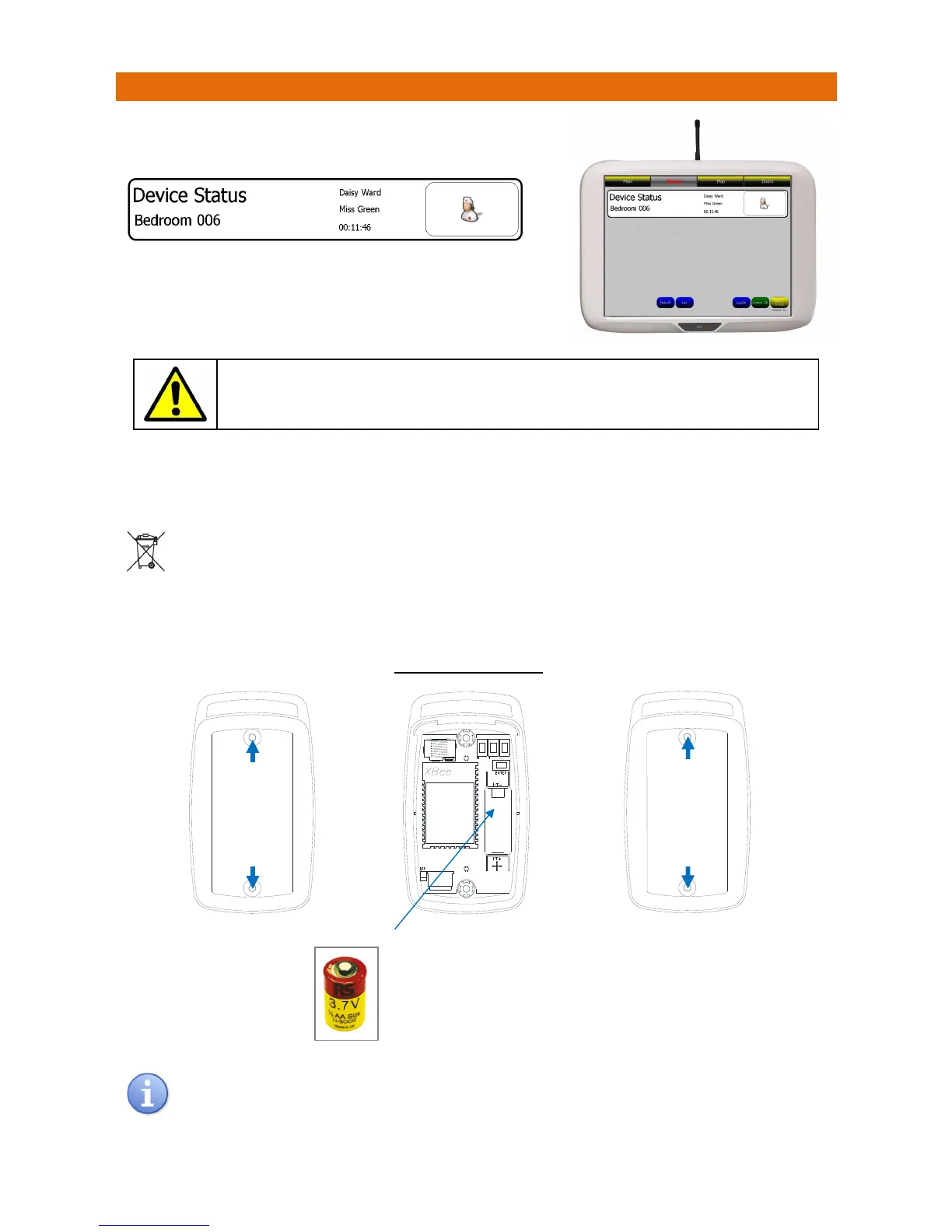
WhenthebatteryisrunninglowinaPendanttheNursecall
panelwilldisplaythefollowing…
TouchthebannertoviewdetailsoftheDeviceStatusalert‐this
willidentifyexactlywhichdevicehasalowbattery.
PresstheLIGHTGREYbuttononthePendanttocancelthecall.
Alwaysreplacethebatterywithin72hoursofalowbatterywarning.
IfthewarningchangestoCRITICALreplacethebatteryIMMEDIATELY.
Toreplacethebattery,removethe2screwsontherearofthePendantandcarefully removethetopcover.
Note:thelidwillremainattachedonthekeypadtail.Removethebatteryfromtheretainingclipsonthe
PCBinsidethePendantbase.
Usedbatteriesmustnotbedisposedofindomesticwaste.Donotincinerateormutilateused
batteries,thechemicalsreleasedarecorrosiveandmycauseinjurytoeyesorskinandmaybe
toxicifinhaled.
OnlyreplacewithManufacturerApprovedbatterytype:3.7V½SizeAALithiumThionylChloride
ReplacementbatteriesareavailablefromAidcall;orderPartNo.F00171
INSIDEPENDANTBASE
Alwaysperformatestcalltocheckoperationafterthebatteryhasbeenreplaced.
Note:Pendantprogrammingisretainedwhenthebatteriesareremoved/replaced.
3.7V½SizeAABattery
ObservethebatterypolaritymarkingonthePCBandlabel.
Takecarenottodamagethebatterycontactswhen
removingorinsertingthebattery.
Undo
2Screws
and
Remove
Pendant
Back
Refit
Pendant
Back
and
Replace
2Screws



 To Previous Page