8
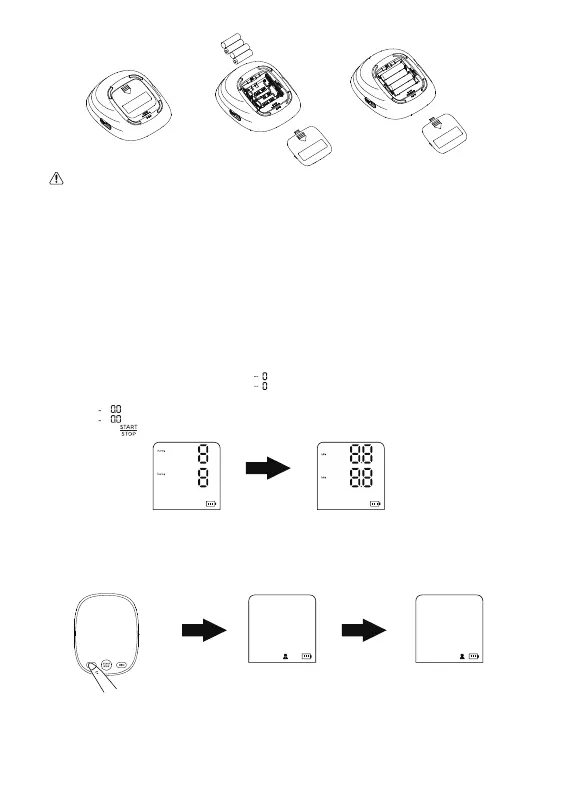
2.3.1 To set unit
Long press the " SET " button when power off to change the previous
unit(kPa or mmHg),the mark “ ” appears and flashes, now the
BPM is in mmHg status, and then press the “ MEM ”button, to change
it into “ ”, now the BPM is in kPa status.
Press the “ ” button to confirm the current setting.
2.3.2 To set user
Press the “ SET ” button when power off, and then press the “ SET ”
button again to switch User 1 or User 2.
2.3 Settings
Caution!
● Replace batteries if the symbol of low power battery appears on
the display.
● Never leave any low power battery in the battery compartment
since they may leak and cause damage to the unit.


 To Next Page