27
Application Settings
4.2 Device Settings
The device settings include the "serial number", "version number", "internal
parameters" of the connected device, start calibration, and so on.
4.3 System Information
The system message list is used to record important event messages that
occur during system operation. For the error message processing method,
please refer to “Appendix 1” of this manual.
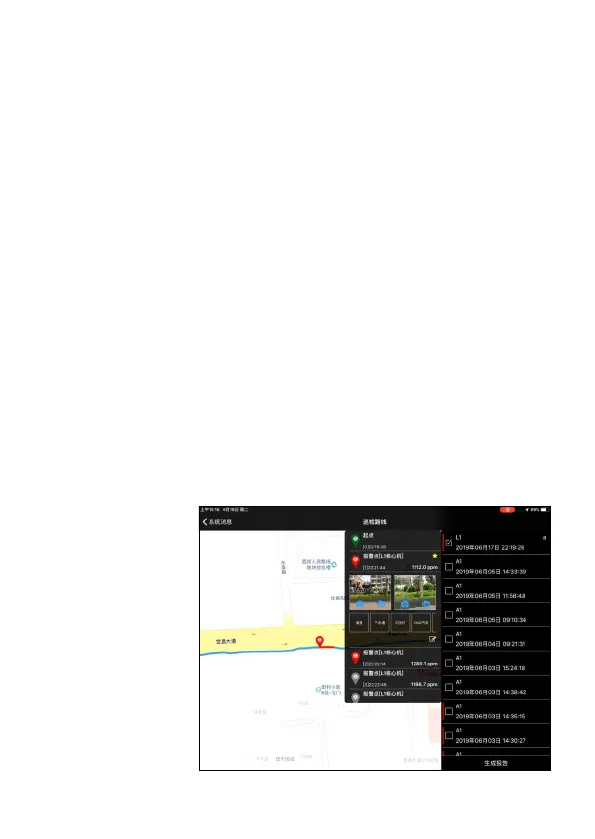
4.4 Inspection route
The inspection route records the inspection records within one month and can
be edited again before the report is generated. After the editing is completed,
click “Generate Report”, the system will generate a PDF inspection report for
the inspection route and alarm information.
A red flag indicates
that the route has not
generated a patrol
report. You can select
multiple patrol records
to generate a “patrol
report”.


 To Next Page