28
Application Settings
4.5 Generate Report
Click the “Generate Report” button under “Inspection Route” to generate a
report of the inspection record of the current route. In order to get accurate
location information when generating a report, be sure to connect your iOS
device to the Internet. After the inspection report is generated, the application
will automatically jump to the preview report page.
Connect your iOS device to the available Internet and click Generate Report. It
takes 10 to 20 seconds to generate a report. When the Internet connection is
unstable or there are more reports, the time will be longer.
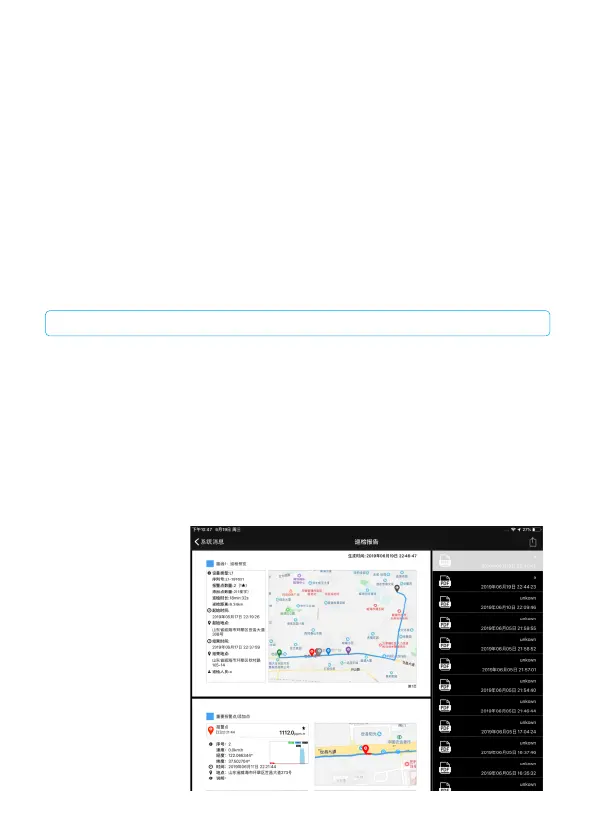
4.6 Inspection Report
Click “Public Inspection Report” to open the report list. The report list on the
right is sorted by time. The report content is previewed on the left side. You
can also output the
report by e-mail or
print, and delete the
report.
CAUTION


 To Next Page
 Loading...