17
Front Panel Operation
In this manual, front panel labels are shown as they appear, in capitals, e.g. LEVEL SELECT.
Individual key names are shown in bold, e.g.
Transient, and the blue soft-keys are referred to by
their present function, as labelled on the bottom line of the display, shown in bold italics, e.g.
Recall. Text or messages displayed on the LCD are shown in bold, e.g
. Enabled, Utilities.
Keys and
Adjust
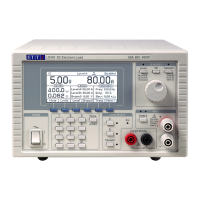
The front panel keys are divided into four areas. The numeric keys and the blue keys below the
display are used to configure the instrument through the menu structure described below. The
CE
key cancels the last numeric keystroke while the
Home key cancels an entire menu selection and
returns to the home screen. The
Home key is also used for the ‘return to local’ request from
digital remote control.
The three
LEVEL SELECT keys (A, B and Transient) determine which of the two level settings is
active, or engage the transient mode which switches between them. The associated lamps
indicate the presently active state; these keys are also used to return from external analogue
control to manual selection.
The
∆ ADJUST knob and its three associated keys (Levels, Off and Transient) are used to
choose and modify the existing value of any one of the numeric parameters of the instrument.
The
ENABLE key in the INPUT section (referred to as the INPUT ENABLE key) controls the load,
with alternate presses switching between the conducting and non-conducting conditions. The
green lamp shows if the input is enabled; the yellow lamp reports if the power stage is saturated,
as described in the paragraph ‘Input Condition Lamps’ in the ‘Initial Operation’ chapter above.
The Display and the Home Screen
All parameter settings and meter readings are shown on the backlit liquid crystal display (LCD).
At power up the instrument initialises to the home screen, which is the normal display during
operation of the unit. This screen displays all of the load meter readings and the most important
load parameter settings as described below, and is also the top level of the soft-key driven menu
structure. The display changes to show other screens as selections are made to enter parameter
values and then returns to the home screen when entry is complete.
Status Line
The status line of the instrument is visible along the top of the display at all times except when
one of the store, recall or utilities menus is being shown. It indicates the current status of the
instrument as follows (in order, from left to right across the display):
• The load mode field indicates the present load mode – CC, CP, CR, CG or CV.
• Slow is displayed when slow start operation has been enabled.
• Slew is displayed as a warning when the present slew rate setting is too slow with
regards to the level difference, transient frequency and duty cycle, see ‘Slew Rate Error
Conditions’ (on page 23 below).
• Lim is displayed when either of the user defined current or voltage limits is enabled.
• The level select field (in the centre) indicates which input level or control method is
currently selected – Level A, Level B, Transient, Ext V or Ext TTL.
• The LAN field indicates the status of the Local Area Network (if fitted). When there is no
LAN connection the field displays
. While a connection is being established the
indicator will flash between
and , and then while connected the field will show .
See the ‘Remote Interface Configuration’ chapter for more information.
• The input status field (at the right hand end) indicates the instrument’s present load input
condition – Disabled, Enabled, Low Voltage, Dropout, Power Limit or Fault, as
described in the paragraph on ‘Input Condition Lamps’ (on page 15) above.


 To Next Page