EasyManua.ls Logo

Aim-TTI QPX1200S - User Manual

Aim-TTI QPX1200S
35 pages
Print Icon
To Next Page IconTo Next Page
Loading...
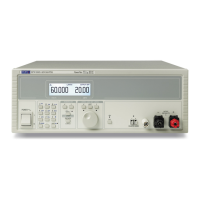
QPX1200S & QPX1200SP
PowerFlex DC Power Supplies
INSTRUCTION MANUAL
Question and Answer IconNeed help?

Do you have a question about the Aim-TTI QPX1200S and is the answer not in the manual?

Summary

Specification

Output Specifications

Detailed parameters for voltage, current, power, and operating modes.

Meter Specifications

Specifications for the instrument's display and measurement accuracy.

Logic Input;Output Interfaces

Describes digital signal connections for control and monitoring.

Analog Control and Monitoring

Details analog inputs/outputs for voltage and current control/monitoring.

Front Panel Controls

Explains operation of front panel keys and rotary jog control.

Display Screen Details

Information about the transflective LCD display, its resolution, and backlighting.

Digital Communication Interfaces

Explains RS232, USB, LAN, and GPIB interfaces for remote control.

General Specifications

Covers AC input, power consumption, environmental conditions, size, and safety compliance.

Safety

General Safety Information

Essential safety information including earthing, environment, and internal capacitor discharge.

Operational and Maintenance Safety Guidelines

Safety guidelines for operation, fuse replacement, cleaning, and maintenance procedures.

Installation

Mains Voltage and Connection

Details mains voltage compatibility and proper connection of the power cord.

Mounting and Ventilation Requirements

Guidance on bench/rack mounting and ensuring proper airflow for cooling.

Connections

Output and Sense Terminals

Describes front and rear panel terminals for load, sense, and earth connections.

Logic Input;Output Ports

Details digital LOGIC IN/OUT connections for control and monitoring.

Analog Control Ports

Details analog V/I CONTROL connections for remote control.

Analog Monitor Ports

Details analog V MONITOR/I MONITOR connections for output monitoring.

Digital Communication Interfaces

Explains RS232, USB, LAN, and GPIB interfaces for remote control.

Initial Operation

Power On and Output Control

Instructions for switching the instrument on and controlling the DC output.

Keypad Operation Basics

Explains the general principles and safety considerations for using the keypad.

Rotary Jog Control Operation

Guide to using the rotary jog control for incrementing/decrementing settings.

Instrument Display Information

Details the instrument's display modes, status indications, and prompts.

Manual Operation

Setting Output Voltage Manually

Procedures for setting the output voltage using the front panel controls.

Setting Current Limit Manually

Procedures for setting the current limit using the front panel controls.

Current Limit, Measurements, and Sensing

Covers setting current limit, measuring power/impedance, averaging, and load connection.

Remote Sensing Setup

Detailed explanation of using remote sense terminals for accurate load voltage measurement.

Protection Features and Multi-Unit Setup

Covers sense miswiring protection, series/parallel connection, and OVP settings.

Output Protection and Fault Handling

Details OCP, reverse voltage protection, and over-temperature fault behavior.

Settings Storage and Recall

Procedures for saving, deleting, and recalling instrument configurations.

Extra Functions

Extra Function Options

Details extra functions like logic control, analog control, and display settings via codes.

Factory Default Parameter Settings

Lists the default parameters applied at first power-up, including # settings.

Remote Operation

Remote Interface Selection and Addressing

Guidance on selecting and configuring digital and analog remote interfaces.

Remote Interface Locking

Explains the mechanism for locking interfaces to prevent inadvertent control.

Local and Remote Operation Modes

Describes how to switch between local keyboard control and remote operation.

RS232 Interface Configuration

Detailed pinout and connection information for the RS232 serial interface.

USB Interface and Driver Installation

Instructions for installing the USB driver for remote control via virtual COM port.

LAN Interface Setup and Status

Details LAN interface compliance, default IP settings, and configuration.

LAN Connection and Status Indicators

Information on connecting to LAN, interpreting status indicators, and using LAN identify.

Web Server and Password Protection

Describes the web server for configuration and password protection features.

Network Protocol and Discovery Details

Technical details on network protocols and service discovery for remote control.

GPIB Interface

GPIB Interface Standards

Outlines GPIB interface standards and supported IEEE 488.1 subsets.

GPIB Error Handling and Parallel Poll

Details GPIB error handling mechanisms and parallel poll functionalities.

GPIB Status Reporting

Explains status reporting models and standard event status registers.

GPIB Status Registers

Details execution error codes and limit event status registers for monitoring.

GPIB Status Byte and Service Request Registers

Describes the Status Byte and Service Request Enable registers.

Status Model

Status Model Overview

A diagram illustrating the instrument's status reporting logic and register interactions.

Remote Command Format

Remote Command Transmission

Details command buffering, termination, and transmission for RS232, USB, and LAN.

GPIB Command Message Structure

Explains the structure of GPIB messages, units, and terminators for communication.

Remote Command List

Lists commands for setting voltage, current, protection, and other parameters.

Remote System and Status Commands

Commands for clearing status, enabling/querying registers, and operation complete.

Remote Interface Management Commands

Commands for managing interface modes, locking, and querying the bus address.

Remote Miscellaneous and Calibration Commands

Commands for instrument identification, self-test, and calibration references.

Maintenance

Fuse Type and Replacement

Specifies the correct fuse type and provides instructions for replacement.

Cleaning and Online Resources

Guidelines for cleaning the instrument and where to find updates and manuals.

Summary

Specification

Output Specifications

Detailed parameters for voltage, current, power, and operating modes.

Meter Specifications

Specifications for the instrument's display and measurement accuracy.

Logic Input;Output Interfaces

Describes digital signal connections for control and monitoring.

Analog Control and Monitoring

Details analog inputs/outputs for voltage and current control/monitoring.

Front Panel Controls

Explains operation of front panel keys and rotary jog control.

Display Screen Details

Information about the transflective LCD display, its resolution, and backlighting.

Digital Communication Interfaces

Explains RS232, USB, LAN, and GPIB interfaces for remote control.

General Specifications

Covers AC input, power consumption, environmental conditions, size, and safety compliance.

Safety

General Safety Information

Essential safety information including earthing, environment, and internal capacitor discharge.

Operational and Maintenance Safety Guidelines

Safety guidelines for operation, fuse replacement, cleaning, and maintenance procedures.

Installation

Mains Voltage and Connection

Details mains voltage compatibility and proper connection of the power cord.

Mounting and Ventilation Requirements

Guidance on bench/rack mounting and ensuring proper airflow for cooling.

Connections

Output and Sense Terminals

Describes front and rear panel terminals for load, sense, and earth connections.

Logic Input;Output Ports

Details digital LOGIC IN/OUT connections for control and monitoring.

Analog Control Ports

Details analog V/I CONTROL connections for remote control.

Analog Monitor Ports

Details analog V MONITOR/I MONITOR connections for output monitoring.

Digital Communication Interfaces

Explains RS232, USB, LAN, and GPIB interfaces for remote control.

Initial Operation

Power On and Output Control

Instructions for switching the instrument on and controlling the DC output.

Keypad Operation Basics

Explains the general principles and safety considerations for using the keypad.

Rotary Jog Control Operation

Guide to using the rotary jog control for incrementing/decrementing settings.

Instrument Display Information

Details the instrument's display modes, status indications, and prompts.

Manual Operation

Setting Output Voltage Manually

Procedures for setting the output voltage using the front panel controls.

Setting Current Limit Manually

Procedures for setting the current limit using the front panel controls.

Current Limit, Measurements, and Sensing

Covers setting current limit, measuring power/impedance, averaging, and load connection.

Remote Sensing Setup

Detailed explanation of using remote sense terminals for accurate load voltage measurement.

Protection Features and Multi-Unit Setup

Covers sense miswiring protection, series/parallel connection, and OVP settings.

Output Protection and Fault Handling

Details OCP, reverse voltage protection, and over-temperature fault behavior.

Settings Storage and Recall

Procedures for saving, deleting, and recalling instrument configurations.

Extra Functions

Extra Function Options

Details extra functions like logic control, analog control, and display settings via codes.

Factory Default Parameter Settings

Lists the default parameters applied at first power-up, including # settings.

Remote Operation

Remote Interface Selection and Addressing

Guidance on selecting and configuring digital and analog remote interfaces.

Remote Interface Locking

Explains the mechanism for locking interfaces to prevent inadvertent control.

Local and Remote Operation Modes

Describes how to switch between local keyboard control and remote operation.

RS232 Interface Configuration

Detailed pinout and connection information for the RS232 serial interface.

USB Interface and Driver Installation

Instructions for installing the USB driver for remote control via virtual COM port.

LAN Interface Setup and Status

Details LAN interface compliance, default IP settings, and configuration.

LAN Connection and Status Indicators

Information on connecting to LAN, interpreting status indicators, and using LAN identify.

Web Server and Password Protection

Describes the web server for configuration and password protection features.

Network Protocol and Discovery Details

Technical details on network protocols and service discovery for remote control.

GPIB Interface

GPIB Interface Standards

Outlines GPIB interface standards and supported IEEE 488.1 subsets.

GPIB Error Handling and Parallel Poll

Details GPIB error handling mechanisms and parallel poll functionalities.

GPIB Status Reporting

Explains status reporting models and standard event status registers.

GPIB Status Registers

Details execution error codes and limit event status registers for monitoring.

GPIB Status Byte and Service Request Registers

Describes the Status Byte and Service Request Enable registers.

Status Model

Status Model Overview

A diagram illustrating the instrument's status reporting logic and register interactions.

Remote Command Format

Remote Command Transmission

Details command buffering, termination, and transmission for RS232, USB, and LAN.

GPIB Command Message Structure

Explains the structure of GPIB messages, units, and terminators for communication.

Remote Command List

Lists commands for setting voltage, current, protection, and other parameters.

Remote System and Status Commands

Commands for clearing status, enabling/querying registers, and operation complete.

Remote Interface Management Commands

Commands for managing interface modes, locking, and querying the bus address.

Remote Miscellaneous and Calibration Commands

Commands for instrument identification, self-test, and calibration references.

Maintenance

Fuse Type and Replacement

Specifies the correct fuse type and provides instructions for replacement.

Cleaning and Online Resources

Guidelines for cleaning the instrument and where to find updates and manuals.

Aim-TTI QPX1200S Specifications

General IconGeneral
DisplayLCD
Remote SenseYes
Voltage Resolution1 mV
Current Resolution1mA
Load Regulation0.01% + 2mV
Line Regulation0.01% + 2mV
Ripple and Noise1mV RMS
InterfacesUSB, RS232
Operating Temperature0 to 40°C
Storage Temperature-20°C to 70°C
Output TypeSingle Output

Related product manuals