This document describes the AIM 10 Litre Air Cooler with Remote Control, an 88W appliance designed for household use.
Function Description
The AIM Air Cooler is a natural-energy efficient cooling device that operates without a compressor. It provides powerful airflow and utilizes honeycomb cooling material to achieve a certain refrigeration effect, making the Air Cooler more effective in cooling. It is designed for cooling air in interior spaces such as living spaces, offices, computer rooms, and call centres. The device features a humidifying function, which can be activated when the water level in the tank is not below the lowest water level. For enhanced cooling, ice blocks can be placed in the water tank, with a recommendation to freeze them for more than 4 hours for optimal effect.
Important Technical Specifications
- Rated voltage: 220V ~ 230V
- Frequency: 50 - 60Hz
- Rated power input: 88 W
- Air speeds: ≥1.8m/s
- Noise: 58dB (A)
- Protection against electric shock level: II
- Water Tank Capacity: 10 Litre
- Timer: 15 hour timer
- Ice Compartment: Yes, includes two ice blocks
Usage Features
The Air Cooler is designed for ease of use and portability.
- Control Panel and Display: The device features a control panel with buttons for HUMID, AIR FLOW, TIMER, MODE, WIND, and ON/OFF. A display panel provides visual feedback on selected settings.
- ON/OFF Function: Pressing the ON/OFF button turns the unit on from standby mode, allowing function selection. Pressing it again turns the Air Cooler off and returns it to standby mode.
- Air Flow Settings: The AIR FLOW button allows users to cycle through different air flow settings (1, 2, 3).
- Wind Modes: The MODE button sets the wind mode. The sequence is Normal wind (no display), Natural wind, and Sleepwind.
- Natural Mode: This mode imitates natural wind, offering strong, moderate, and weak natural wind settings, adjustable via the wind button.
- Sleep Mode: This mode adjusts the wind intensity over time. If set to strong sleeping wind, it runs for half an hour at strong natural wind, then switches to moderate natural wind for half an hour, and finally to weak natural wind until the preset time ends or it's turned off. Similar transitions occur for moderate and weak sleep wind settings.
- Timer Reservation (Boot-up Timer): In standby mode, the TIMER button can be used to set a boot-up time, with options ranging from 1h to 15h. When successfully set, the reservation light flickers, and other functions (except timing) can be set after boot-up.
- Shutdown Timer: In startup state, the TIMER button can be used to set a shutdown timer, with options from 1h to 15h.
- Wind Swing (Oscillation): The WIND button turns the air swing function on or off.
- Humidifying Function: The HUMID button activates the humidifying function, provided the water level is adequate. The humidifying lamp indicates activation. If the water level drops below the minimum, the water shortage lamp lights up, the pump stops, and the humidification function is closed, requiring water to be added to the tank.
- Remote Control: The device comes with a remote control for convenient operation. The battery cover can be removed by pulling it down, and the battery should be inserted with correct polarity. The remote control must face the receiver and has a range of within 5 meters. Obstructions between the remote and receiver should be avoided. For extended periods of non-use, the battery should be removed to prolong its life.
- Portability: Equipped with wheels for easy transport, making it lightweight and portable.
Maintenance Features
Regular cleaning is essential for optimal performance and longevity of the Air Cooler.
- Water Tank/Screen Cloth Cleaning:
- Always unplug the device from the main electrical supply before cleaning.
- Pour out any remaining water from the tank.
- Open the water tank cover and wipe the tank with a damp cloth. For stubborn build-up, use a soft brush. Ensure the plug is firmly in place after cleaning to prevent leaks.
- Pull out the screen cloth of the humidifying curtain from the rear housing, then remove the humidifying curtain itself.
- Wash the screen cloth and humidifying curtain in water, using a soft brush if necessary, then reinstall them in the reverse order.
- Cleaning Frequency: It is recommended to clean the screen cloth each month. Failure to do so for a long time may lead to reduced air flow and increased noise.
- Safety Precaution: Always turn off the power and unplug the power plug before filling or cleaning the water tank.

 Need help?
 General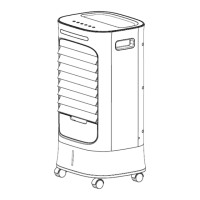

 To Next Page