| 12
CLEANING INSTRUCTION
Cleaning method for water tank/screen cloth:
1. Pull the plug out of the main electrical supply and pour out the
water. Open the water tank cover and wipe the water tank with a
damp cloth. If it is not clean, brush it with a soft brush to remove
any build up. To prevent any leaks, ensure the plug is rmly
in place.
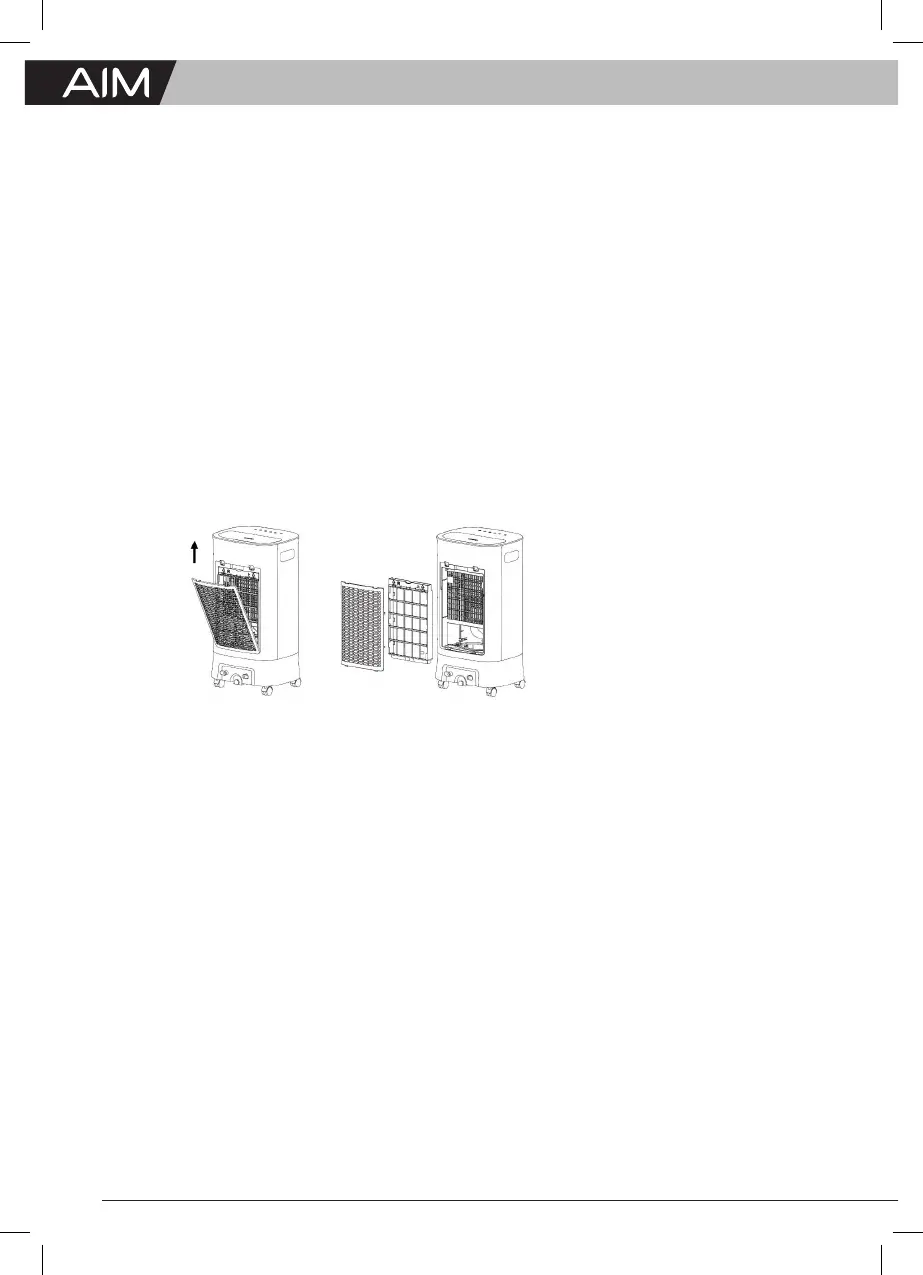
2. Pull out the screen cloth of humidifying curtain from the rear
housing, then take out the humidifying curtain, and put them into
the water a few times. If they are not clean, brush them with a soft
brush, then install them in the opposite order.
Note:
1. Please turn off the power and unplug the power plug before lling
and cleaning the water tank.
2. If the screen cloth is not washed for a long time, it may cause bad
conditions such as lower air ow and increased noise.
3. Reminder: clean the screen cloth each month.


 To Next Page