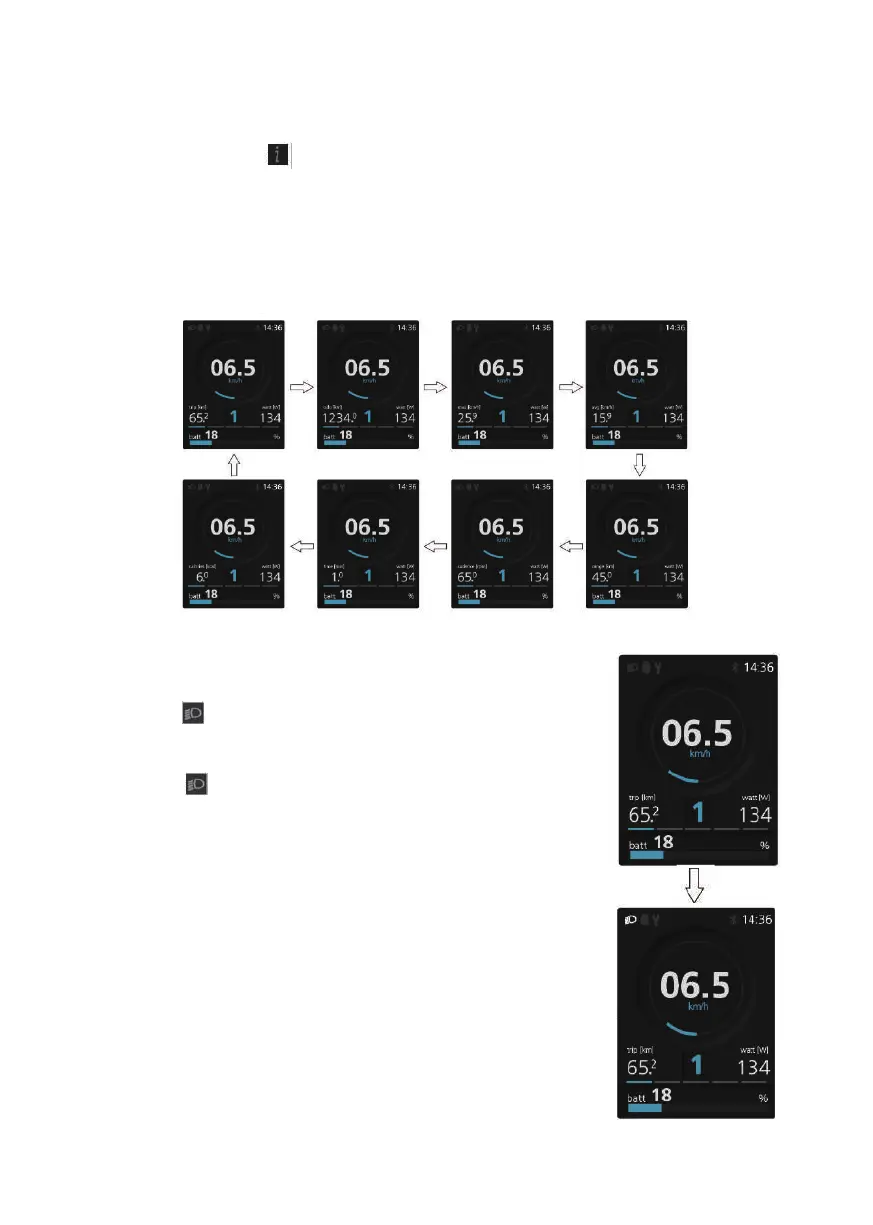
Selection Mode
Briefly press the (0.5s)button to see the different trip modes.
daily kilometers (trip) - total kilometers (odo) - Maximum speed (max) -
Average speed (avg) - Range (range) - Cadence (cadence) - Travel time
(time) - Energy consumption (calories (only with torque sensor fitted)) -
cycle.
Headlights/backlighting
Hold the (>2S) button to activate the head-
light and taillights.
Hold the (>2S) button again to turn off the
headlight.The brightness of the backlight can
be set in the display settings "Brightness".If
the display/Pedelec is switched on in a dark
environment, the display backlight/headlight
will automatically be switched on.If the
display backlight/headlight has been manual-
ly switched off,the automatic sensor function
is deactivated.You can only turn on the light
manually,after switching on the system again.
28



 To Next Page