Click WIFI on your phone settings page, connect your
phone to the Receiver's WI-FI. (Device name is
RX-Bxxxxxxx, the default password is 12345678).
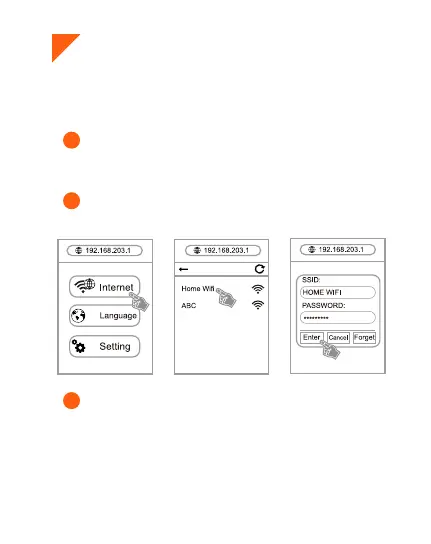
Click Internet, and select your home WIFI. Enter the
password of your home WIFI and click “Enter”.
● When using it for the first time, please connect the device to
your home WIFI router first
1
Turn on phone/pad browser, input 192.168.203.1, and
enter the receiver settings page.
2
3
●This function applies to iPhone/iPad/Android devices.



 To Next Page